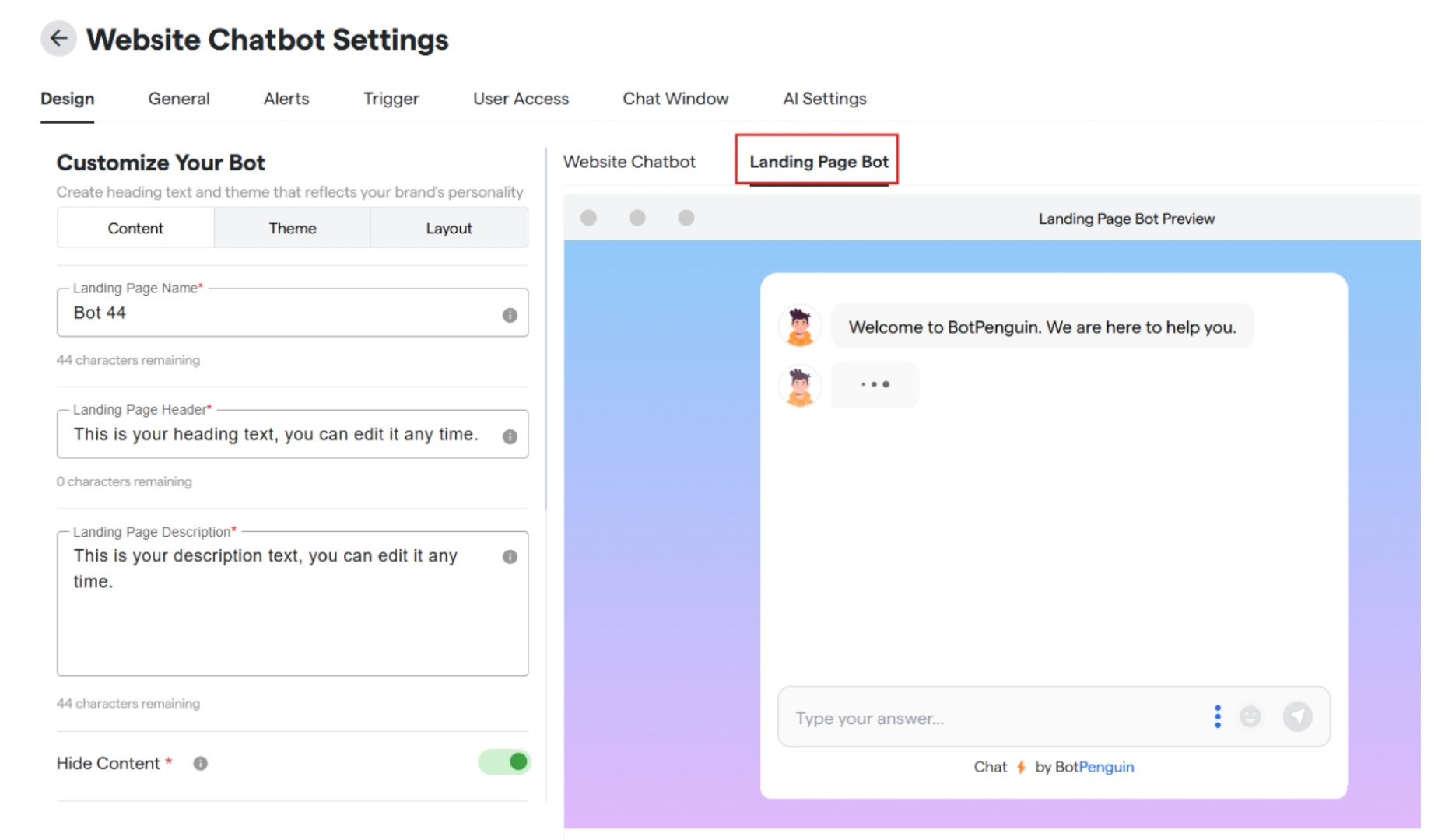
Customize the landing page
- Click on bots and select a website bot.
-
Click on “Website Chatbot Settings”.
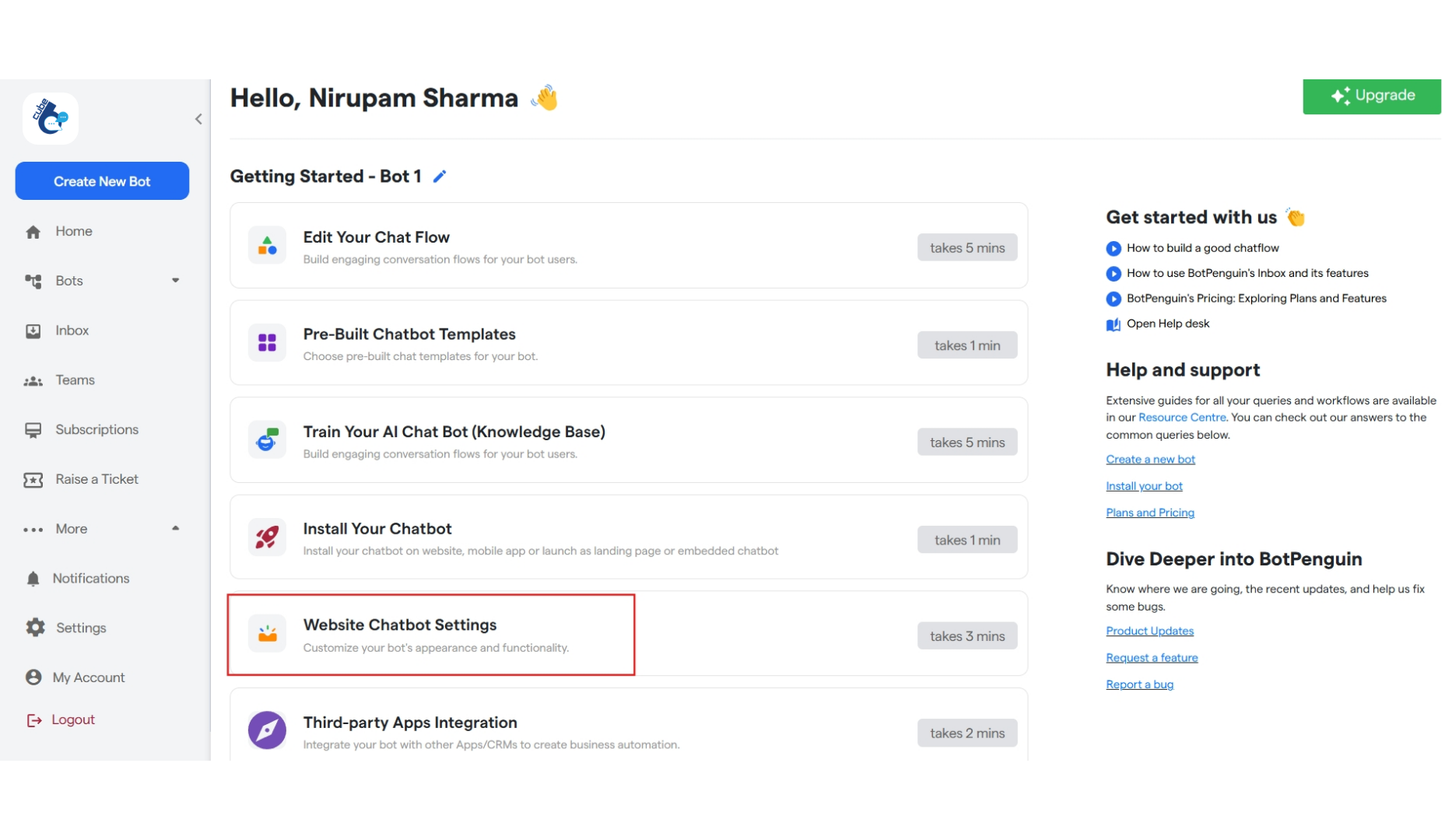
-
Under “Design” customize your bot and click on “Landing Page” to customize the same.
Content Section
- Enter your bot’s landing page name in “Landing Page Name” box.
- Enter the heading text you want to display in “Landing Page Header” box.
- Enter the description text you want to display in “Landing Page Description” box.
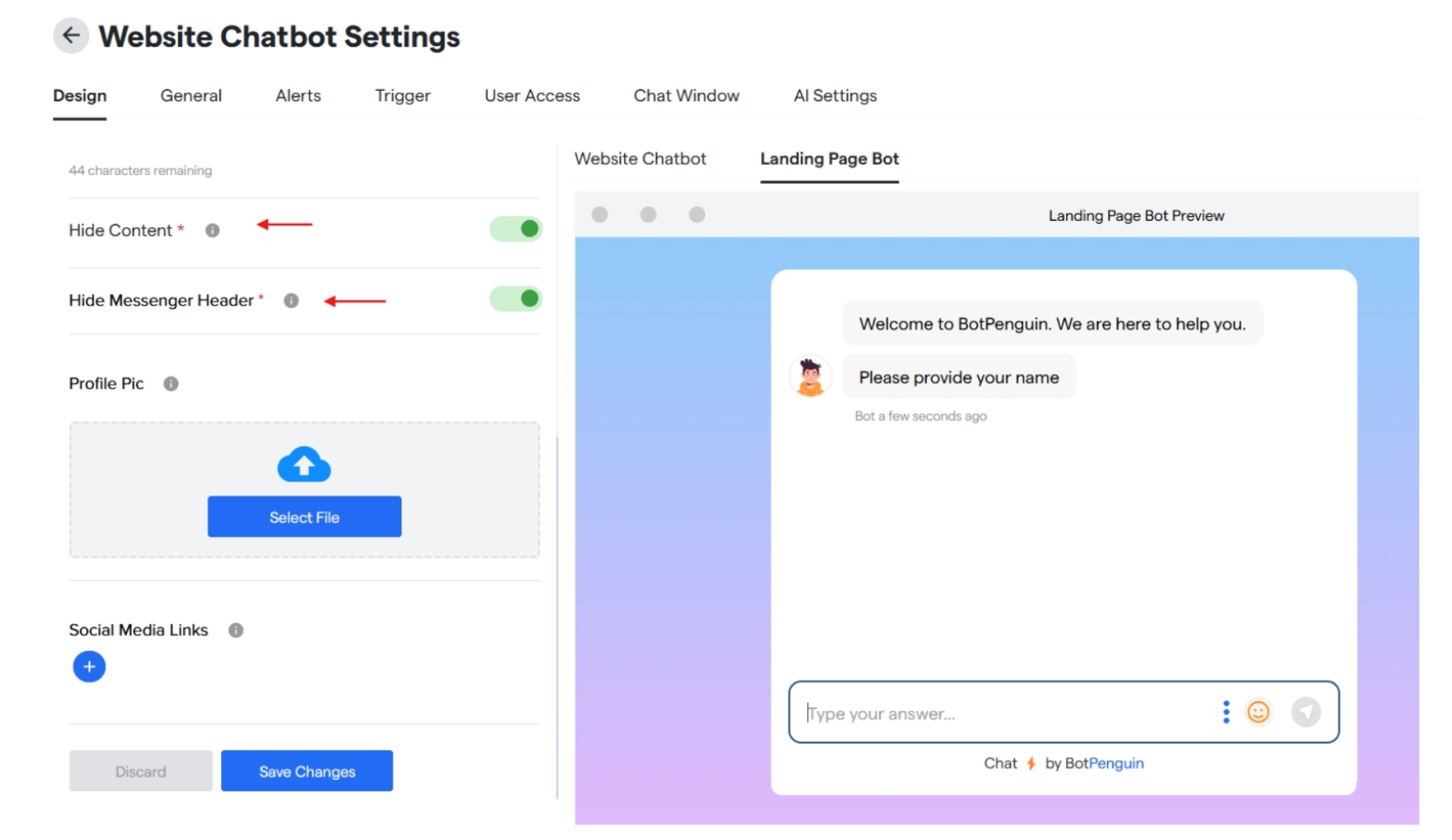
- Toggle ON/OFF to hide logo and text.
- Toggle ON/OFF to hide chatbot’s header.
- Upload profile logo for your chatbot page.
- Add any social media links and icons.
-
And click on “Save Changes” to update all the changes done.
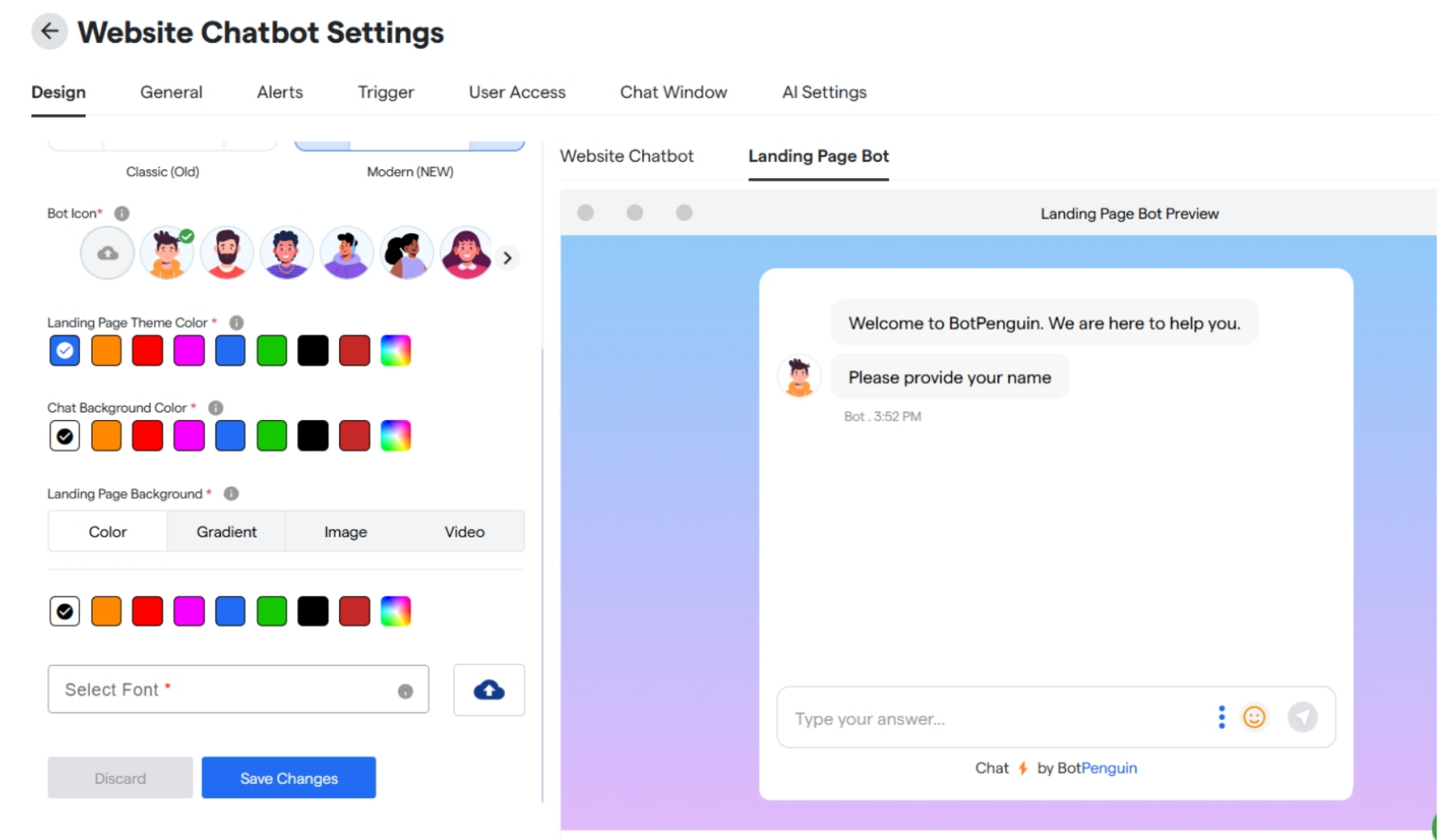
Theme
- Select your chat window style from the given two options.
- Select a bot icon from the options or upload from your device.
- Select a landing page theme colour.
- Select a chat background colour.
- Select landing page background colour.
- Select a font style for your chatbot.
-
Click on save changes to upload the changes done.
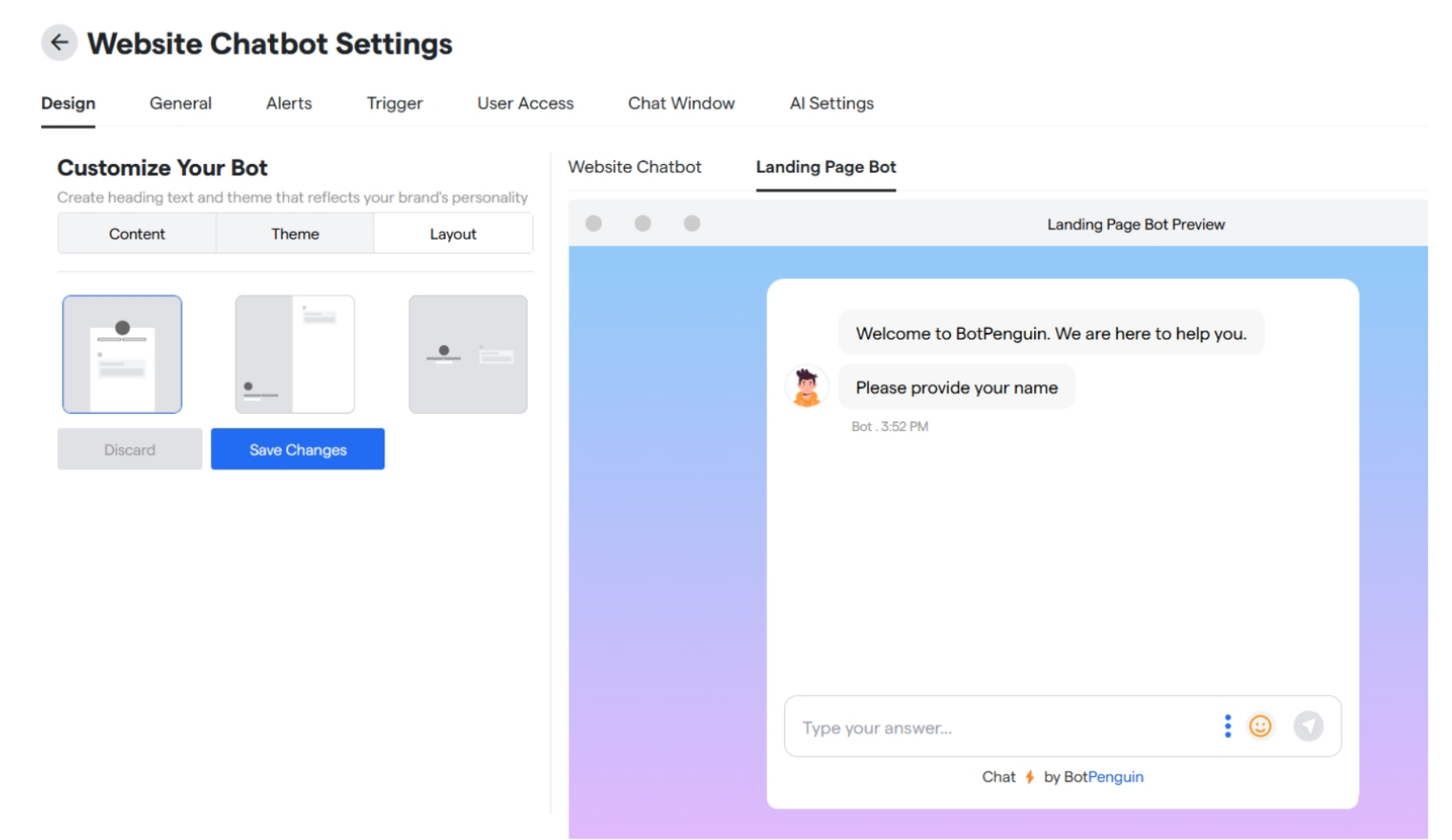
Layout
Here you can select the layout and positioning for your landing page Click on “Save Changes” to save your customizations.