This guide provides a comprehensive understanding of the following:
  1. What is the Live Chat Feature?
  2. How to Integrate the Live Chat Feature into Your Chatbot?
  3. How to User Queries via Live Chat?
Let’s start with understanding what is live chat?

What is Live Chat Feature?

The Live Chat feature in Cube6 enables real-time interaction between your users and your support team. By integrating this feature into your chatbot, you can ensure that when users engage with the chatbot, their queries can be immediately addressed by an assigned agent. This feature enhances the user experience by providing instant support, improving customer satisfaction, and fostering a more personalized and responsive communication channel.

How to Integrate the Live Chat Feature into Your Chatbot?

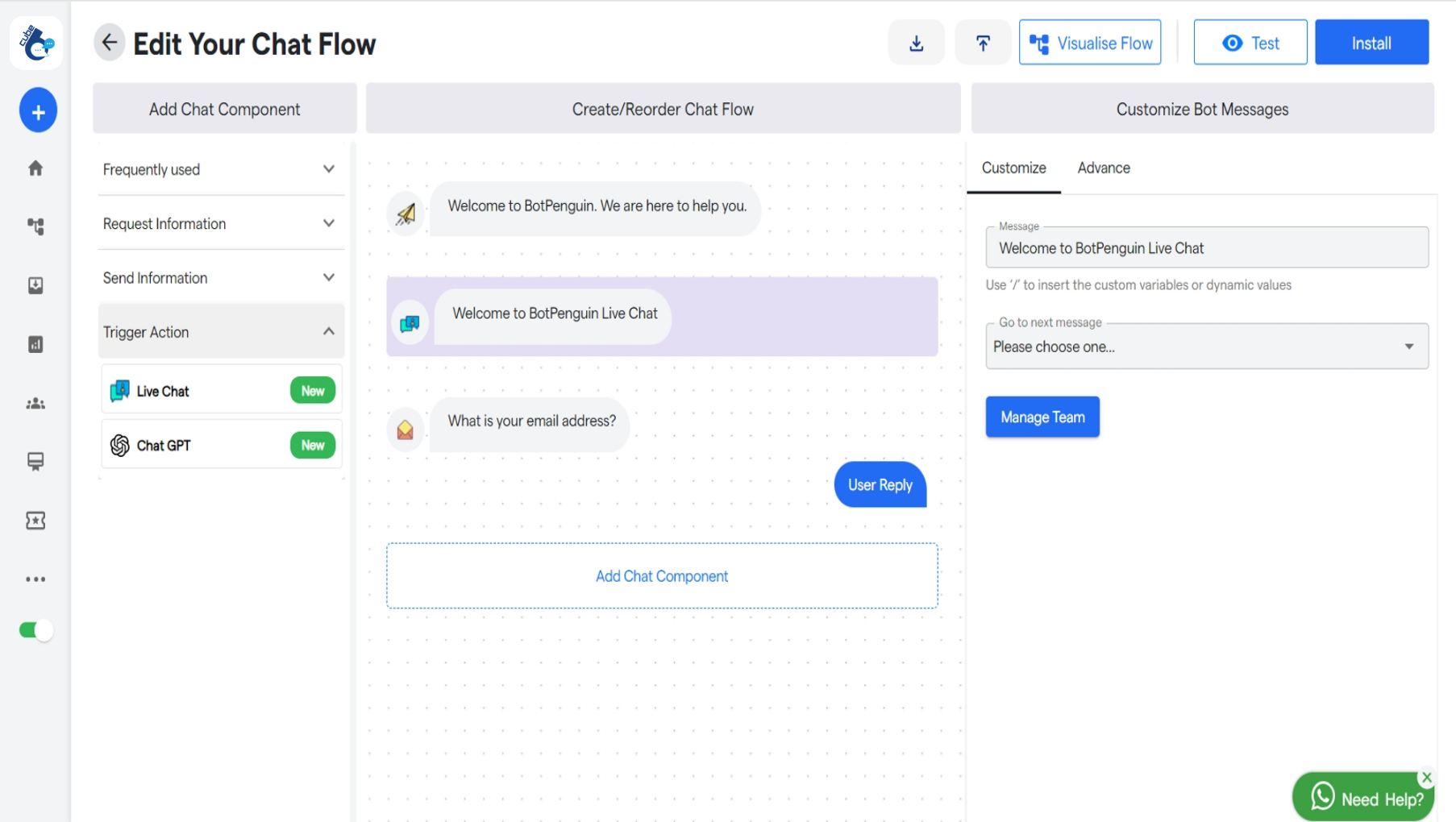
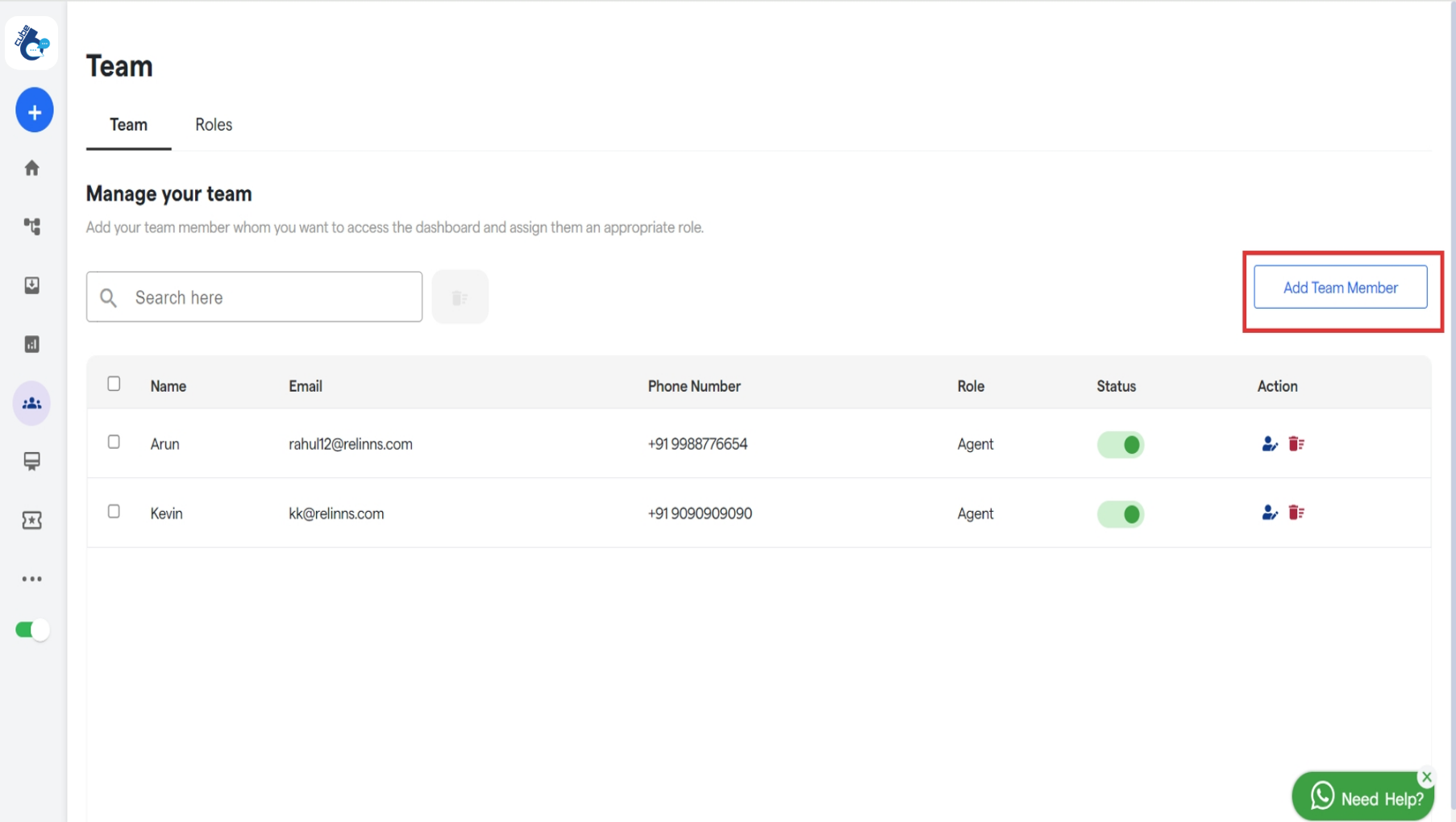
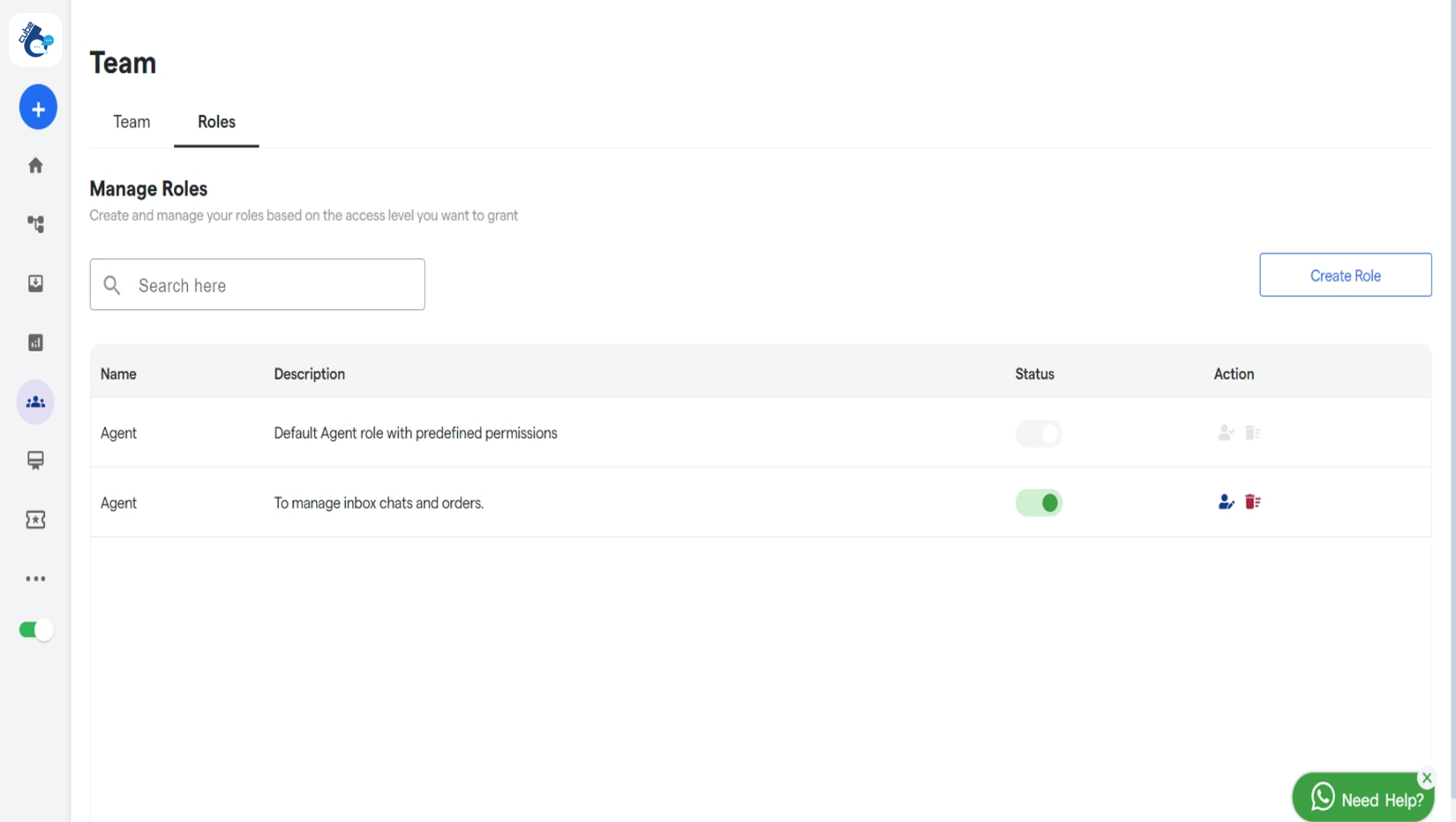
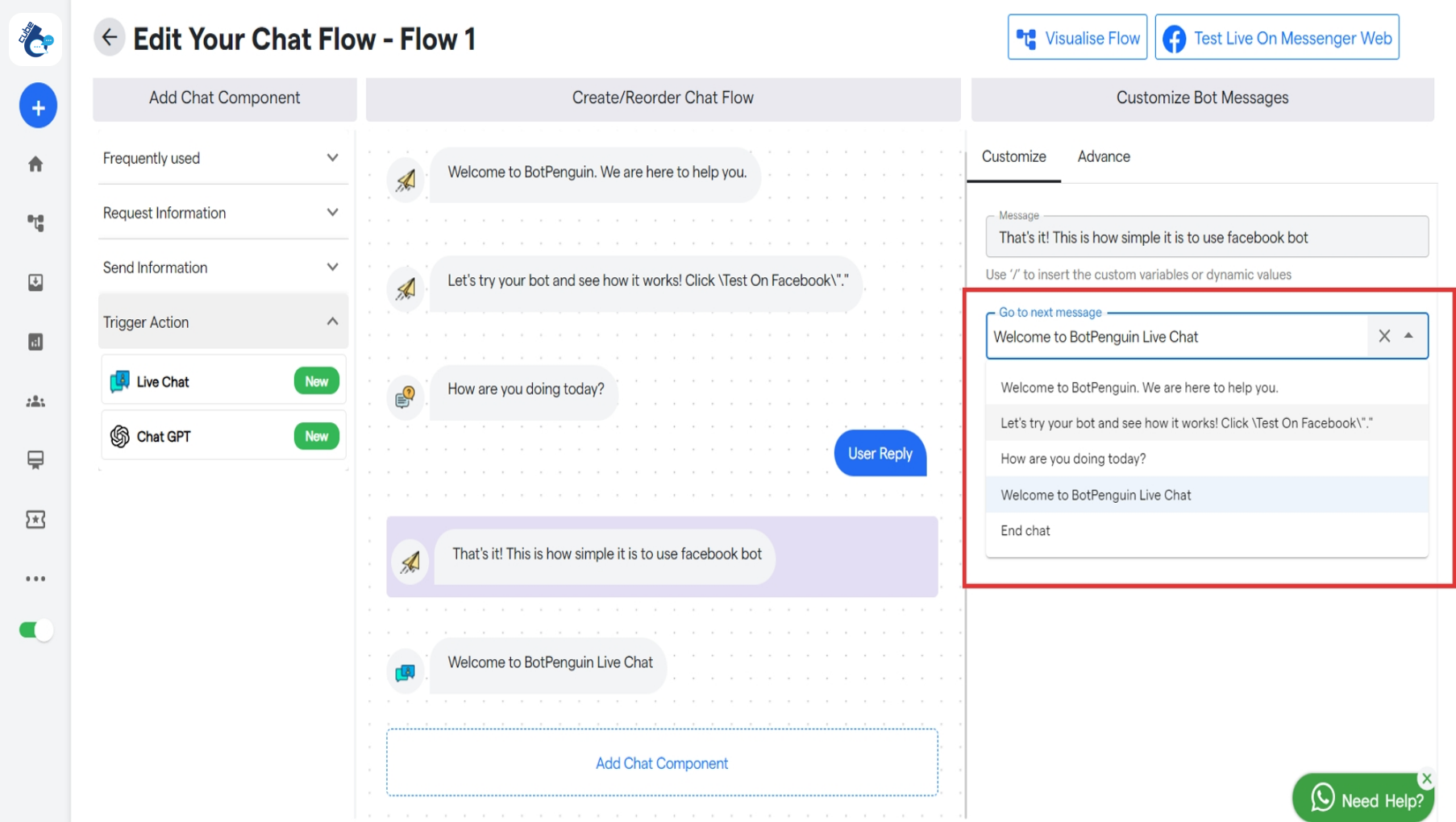
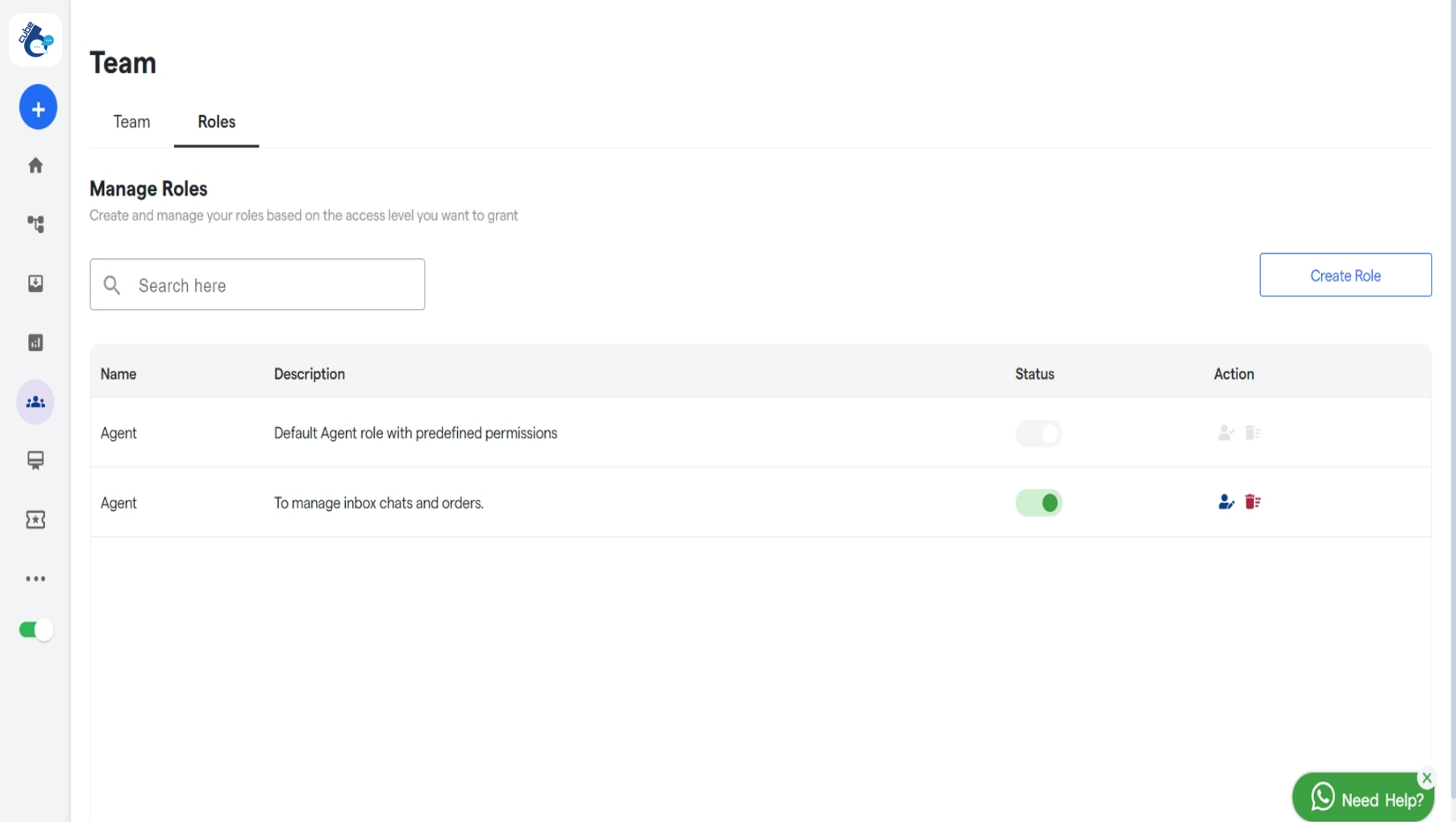
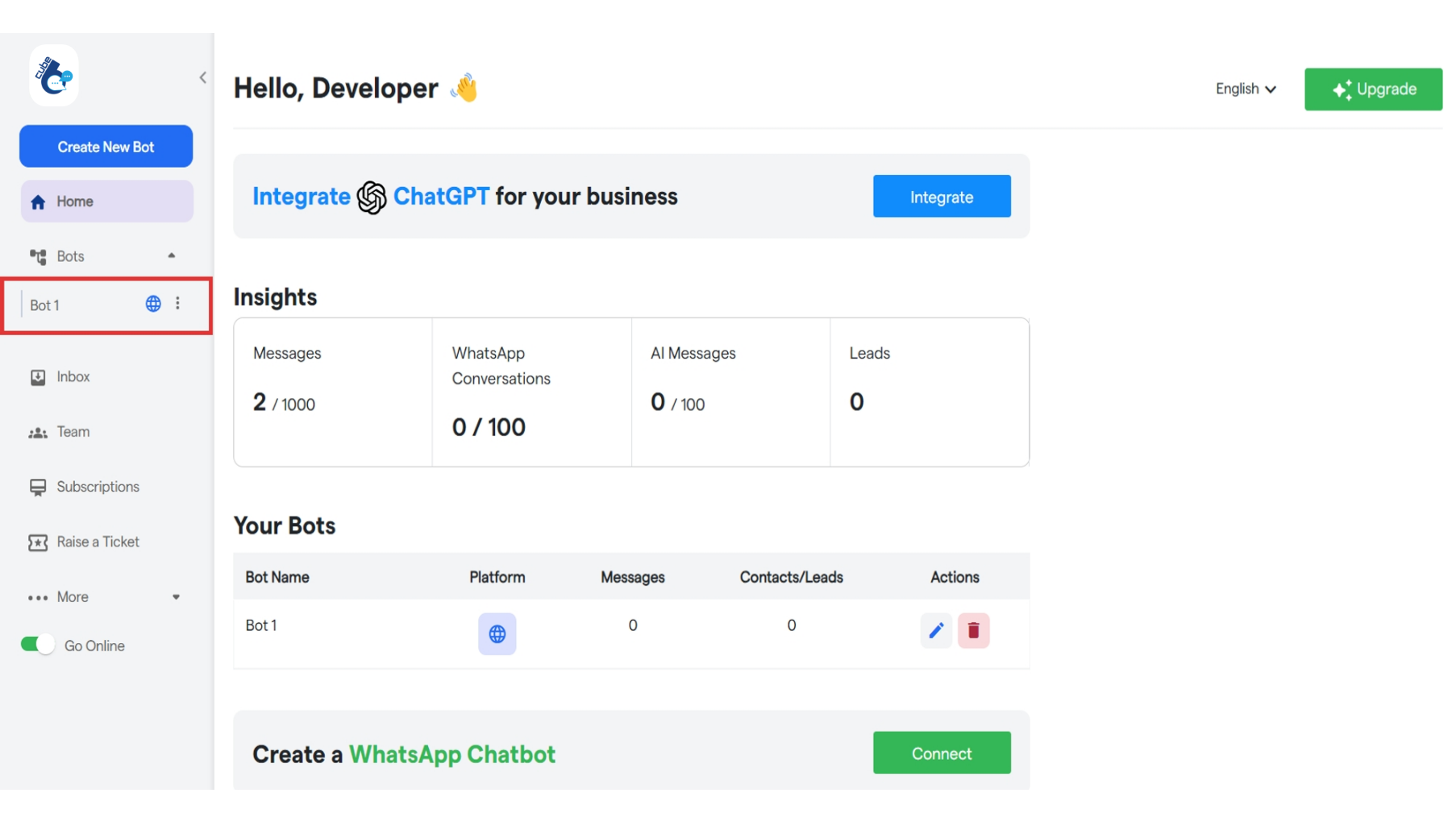
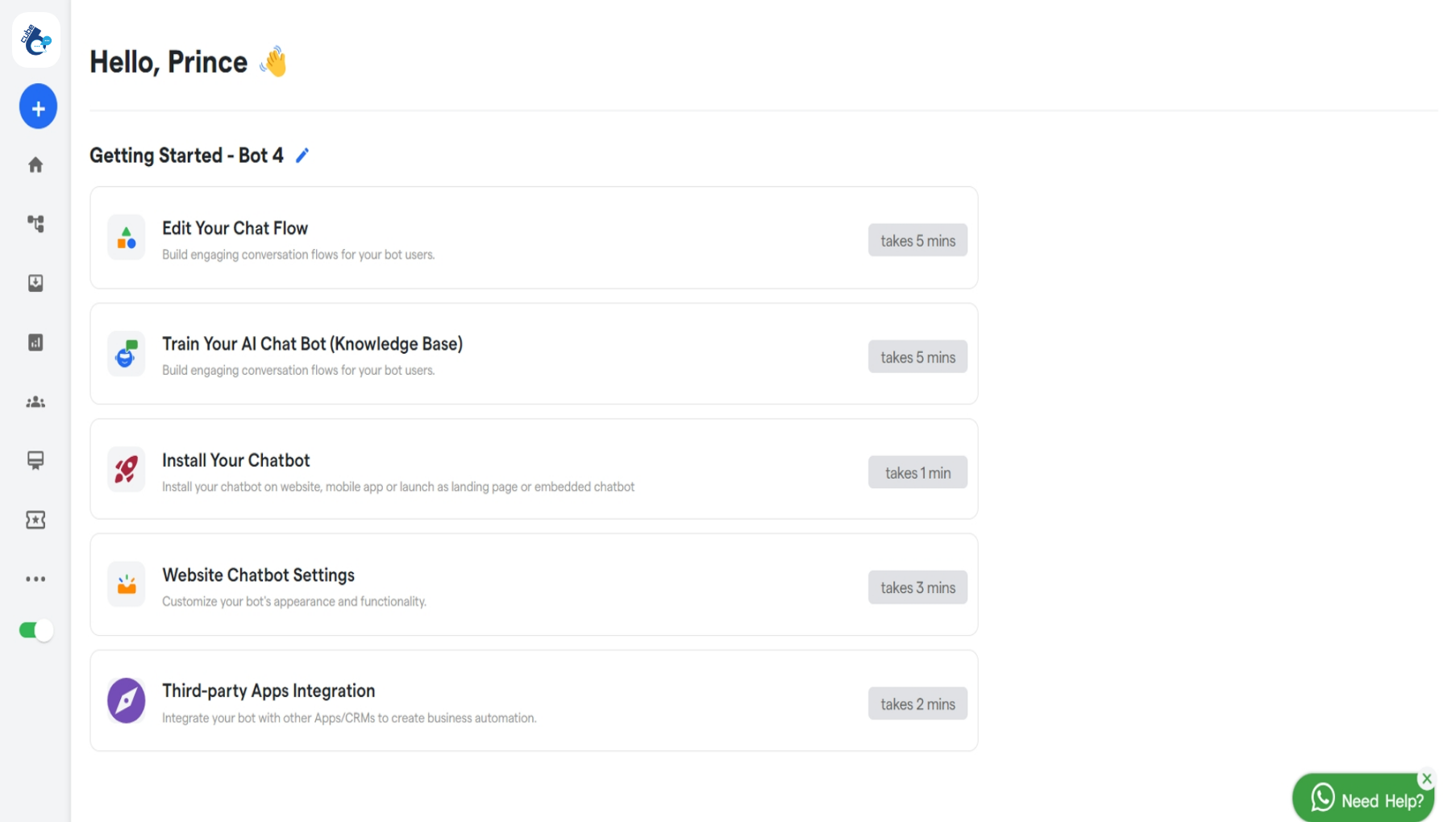
To manage your chatbot, you first need to visit the Cube6 Dashboard To manage your bot, select it from the left sidebar. 175 Real Time Customer Interaction  Cube6 Resourc 1 Pn Click on β€œEdit Your Chat Flow” to customize your chatflow. 175 Real Time Customer Interaction  Cube6 Resourc 2 Pn Click on β€œLive Chat” under Trigger Action. 175 Real Time Customer Interaction  Cube6 Resourc 3 Pn You will see Live chat component has been added. You can also customize this message as per your requirements. Manage Team: Click on β€œManage Team” to view all your team members and roles you have created. 175 Real Time Customer Interaction  Cube6 Resourc 4 Pn You can add new team member by clicking on β€œAdd Team Member”. Click on β€œRoles” to view all the roles you have created. 175 Real Time Customer Interaction  Cube6 Resourc 5 Pn Now, select the message or question that will trigger the transition to Live Chat. 175 Real Time Customer Interaction  Cube6 Resourc 6 Pn In the β€œGo to next message”, select the Live Chat component.
How to User Queries via Live Chat?

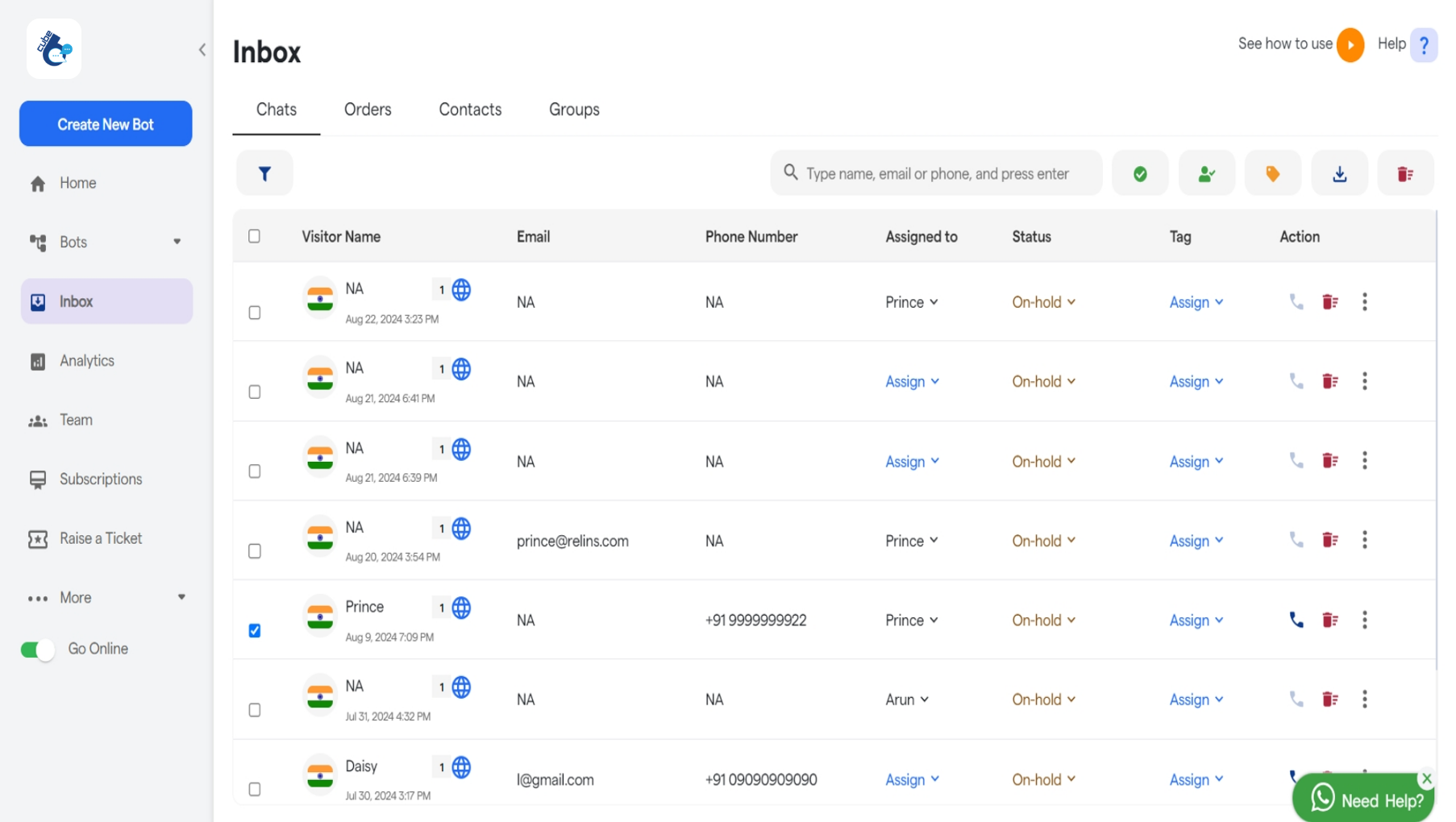
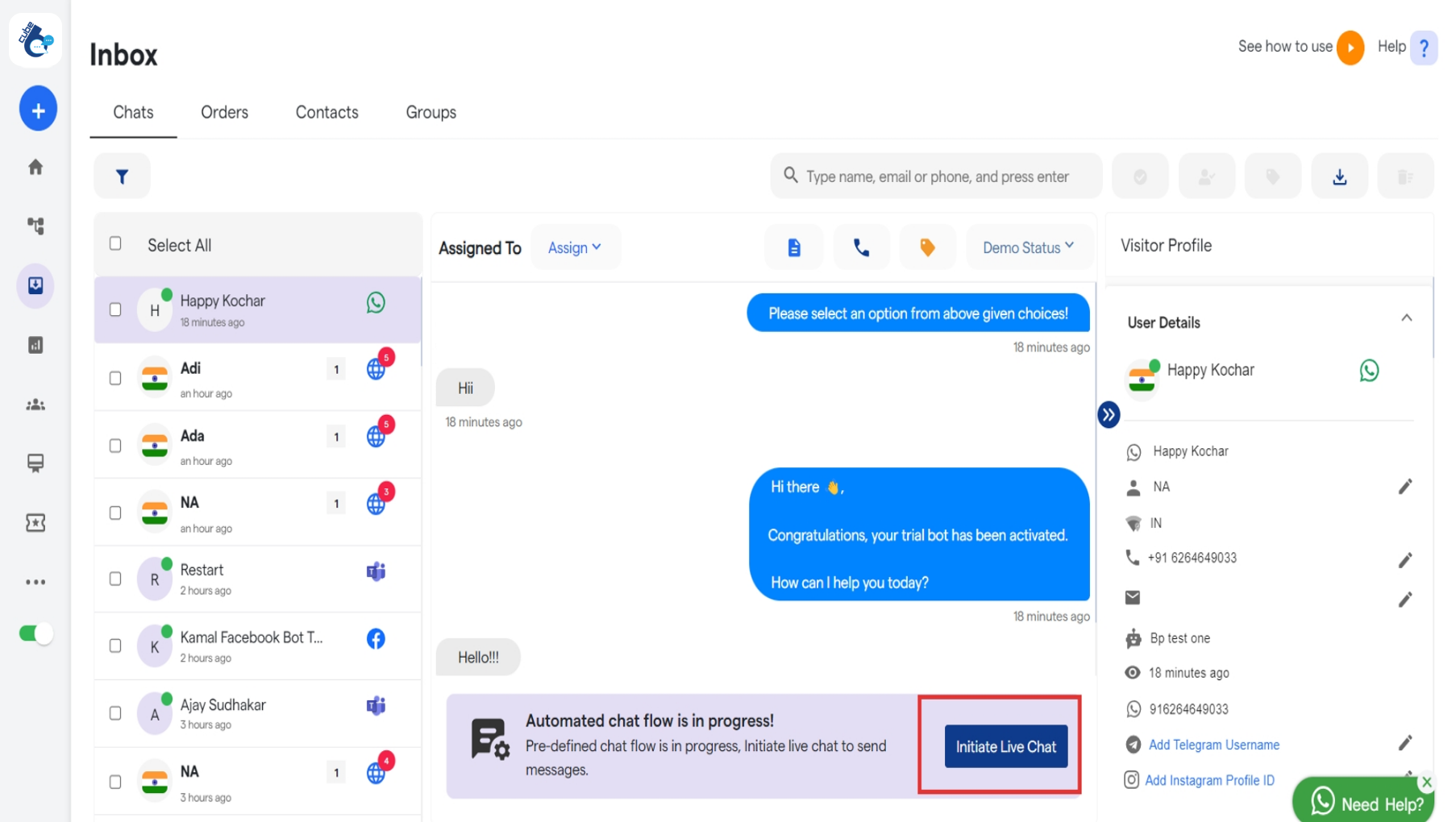
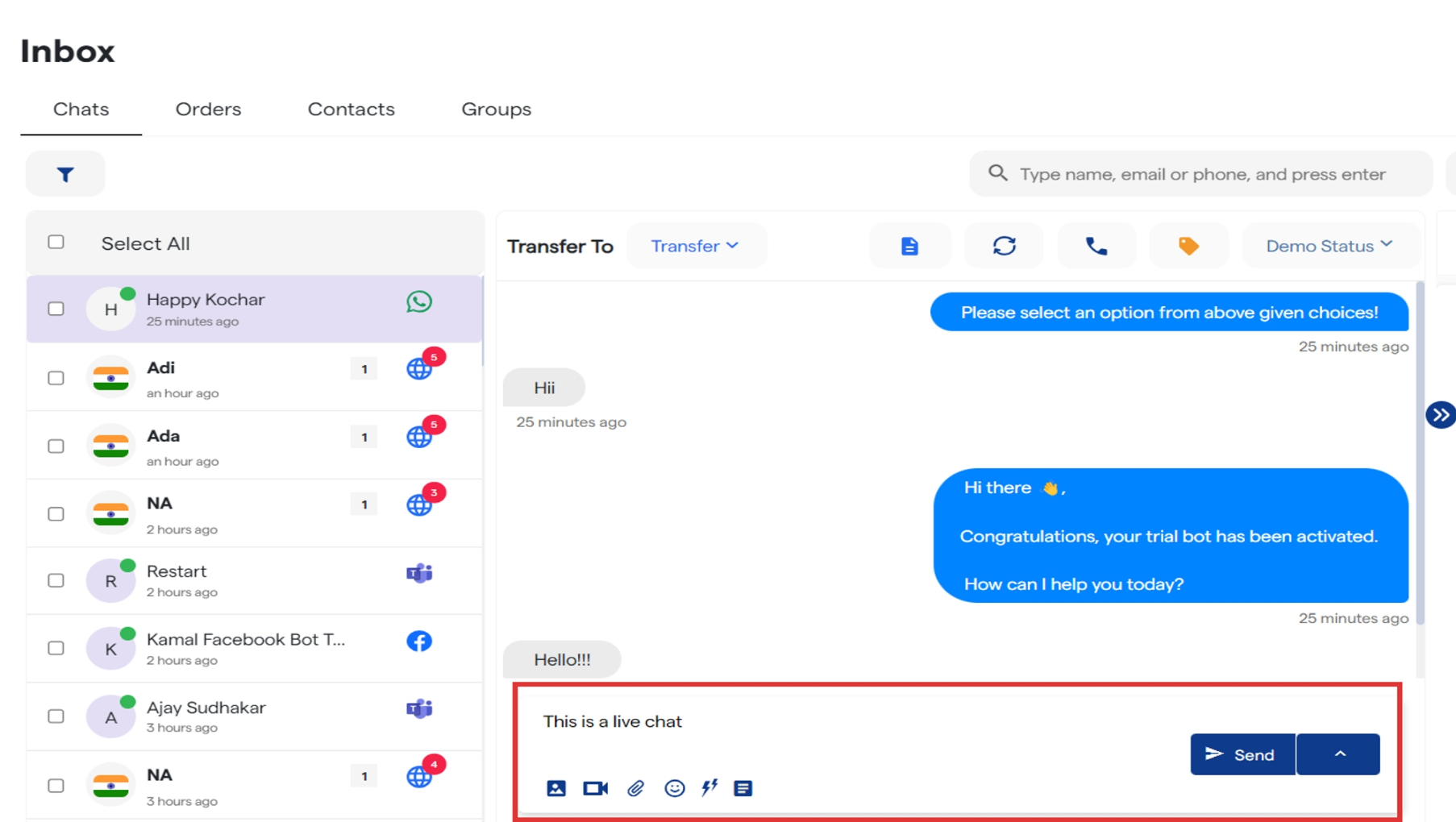
You will receive a notification popup whenever there is a new chat request. 175 Real Time Customer Interaction  Cube6 Resourc 7 Pn Click on β€œInbox” to view all your chats. 175 Real Time Customer Interaction  Cube6 Resourc 8 Pn Select any chat to view the entire conversation between user and your chatbot. You accept the live chat request or either click on β€œInitiate Live Chat” to chat with user. 175 Real Time Customer Interaction  Cube6 Resourc 9 Pn 175 Real Time Customer Interaction  Cube6 Resourc 10 Pn Now you can type your message in a live conversation with your customer.