

Teams
Here, you can view detailed information about all your team members and manage their roles and permissions.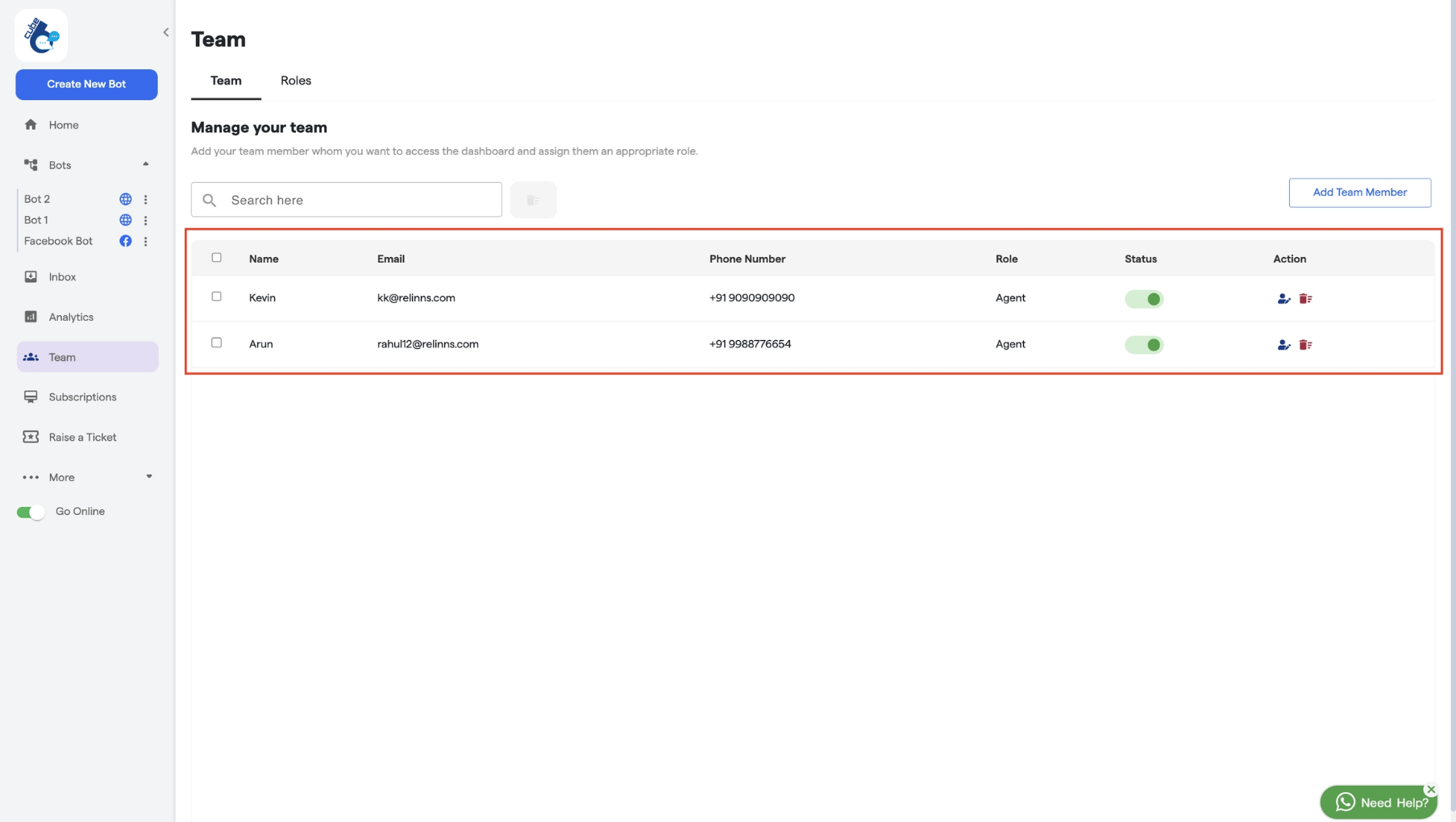
- Status: If the status of a member is “active”, the member can access the account. If the member is “inactive”, the member cannot access the account.
- Action: You can edit the roles and details of your team members. You can also remove team members from this section if needed.
- Role: You can see the role assigned to each team member from here.
How to add a Team Member
-
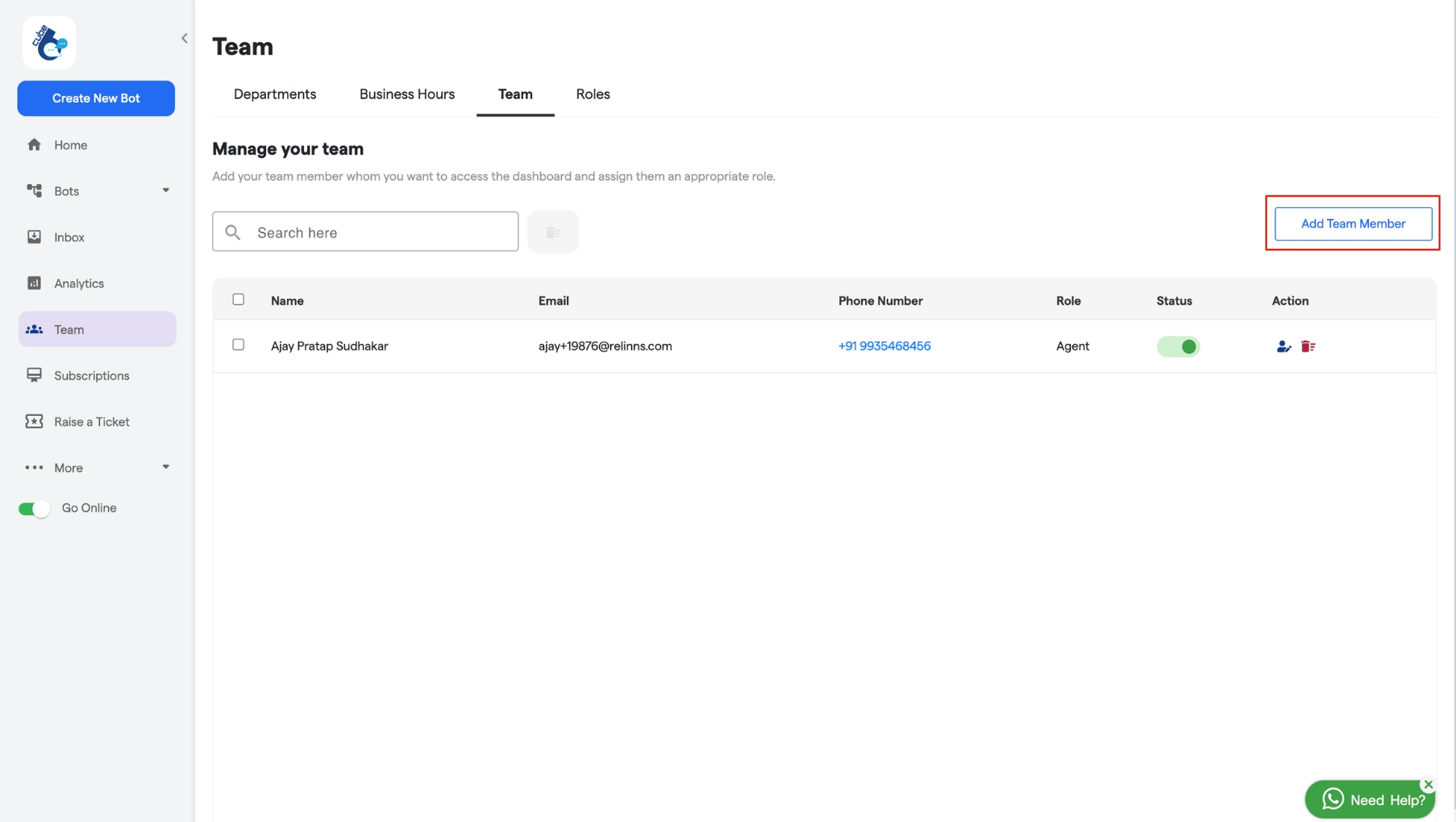
Click on the Add Team Member button as shown in the screenshot.
- Enter the team member’s details, such as name, email, and phone number.
- Choose a Role for the team member.
- Set Lead Visibility to define whether they can view all leads or only the ones assigned to them.
- Configure Lead Assignment Permissions based on the options provided.
-
Create a password and set a profile icon for the team member.
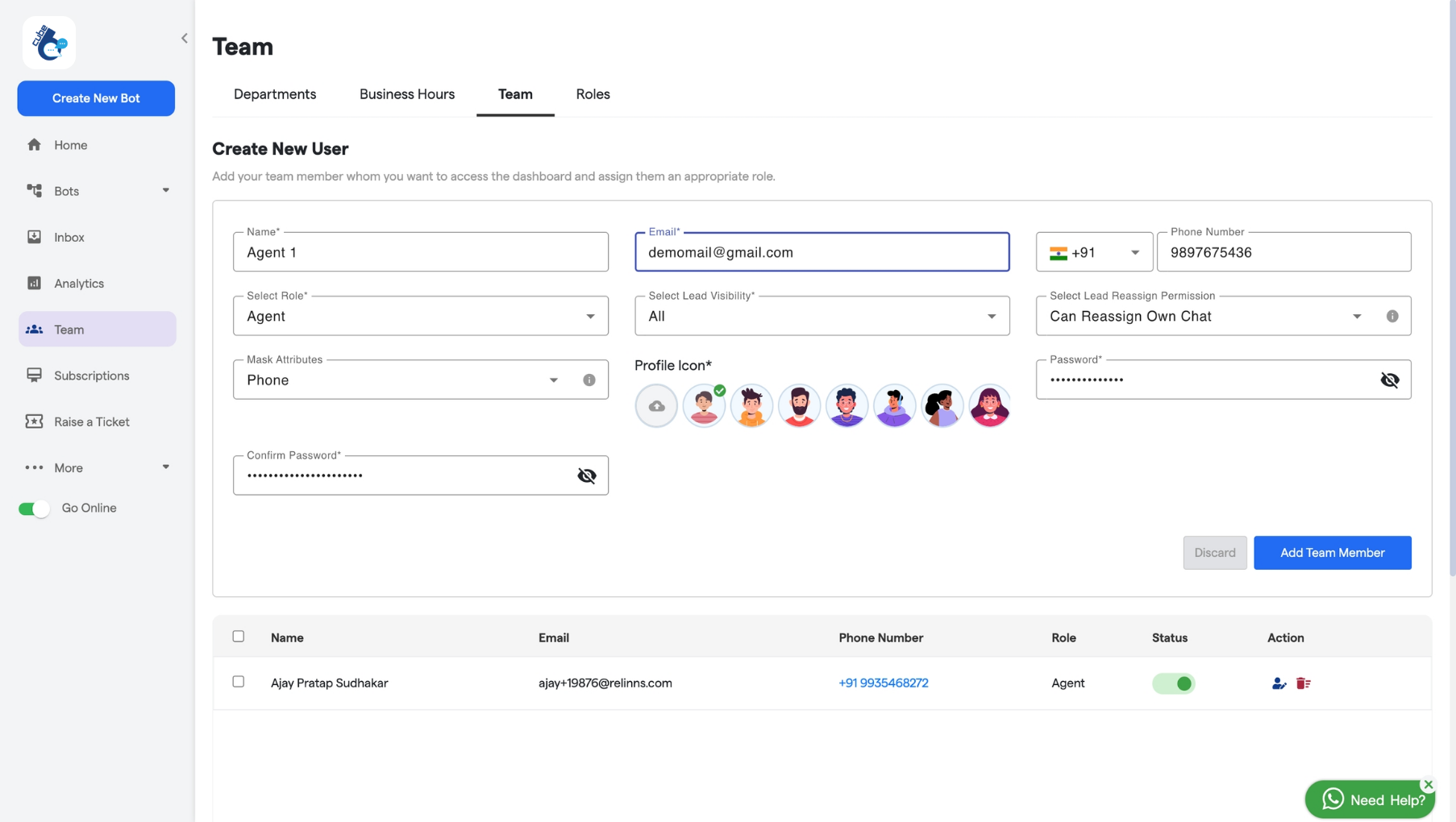
- Click Add Team Member to finalize.