Login code in your Telegram account. Enter the Login Code
here and click to login to your Telegram Account.
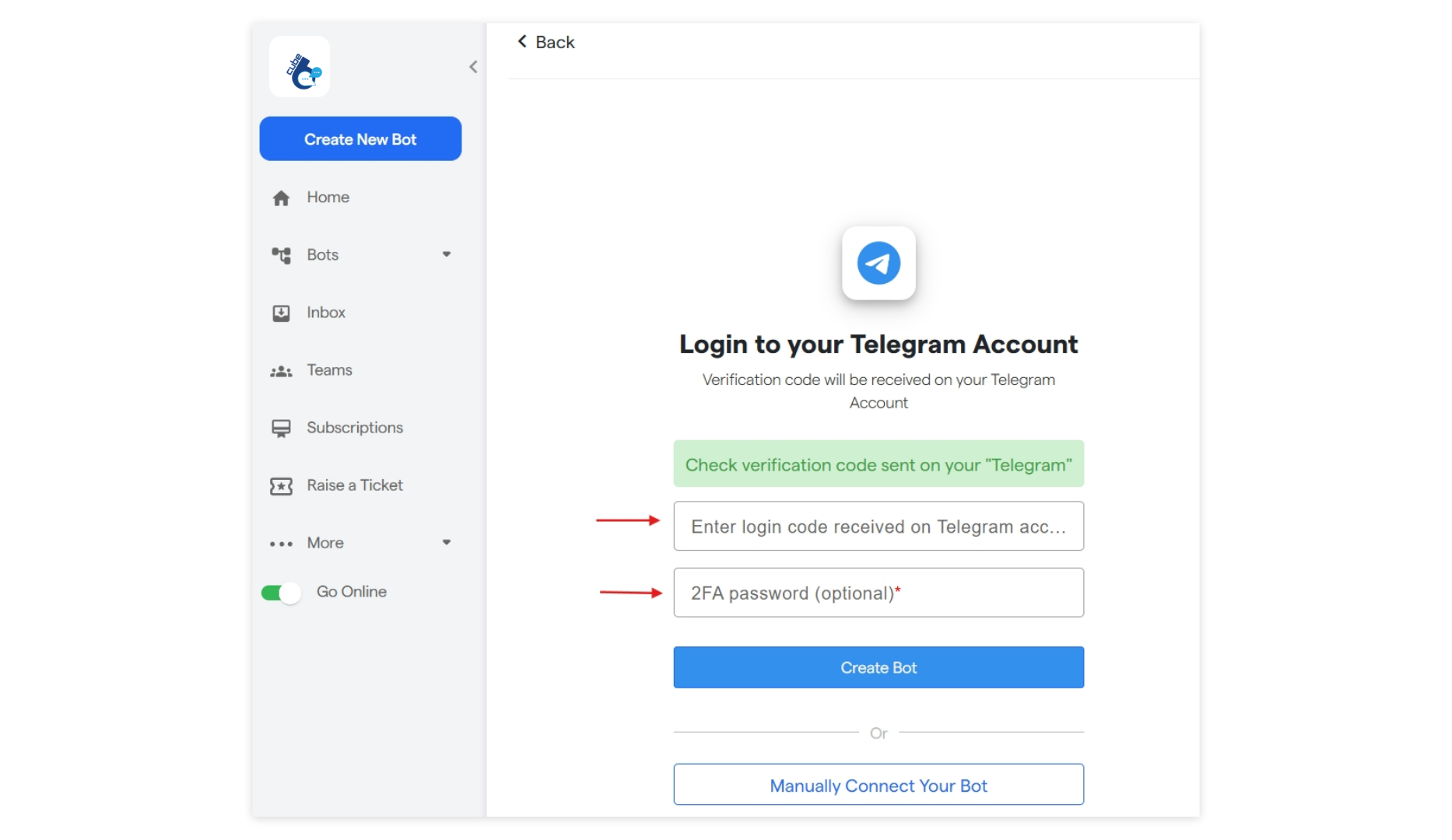
resend code in case you haven`t received it. If still not received the
Login code, please verify the Telegram mobile number and re-enter it by clicking
Change number.
Manually Connect Your Bot
- Enter the Bot name which you want to connect.
- Enter the Bot user name which you want to connect
- Enter the Bot Authentication Token recieved on telegram from “BotFather”.
- Click on Connect Bot.
Create Your Bot
a. You may choose an existing Telegram bot to connect with Cube6 or you can select “manually connect to bot”. Then enter :- Name of your new bot
-
Username. Username should end with
bot. example: abc_bot or abcbot.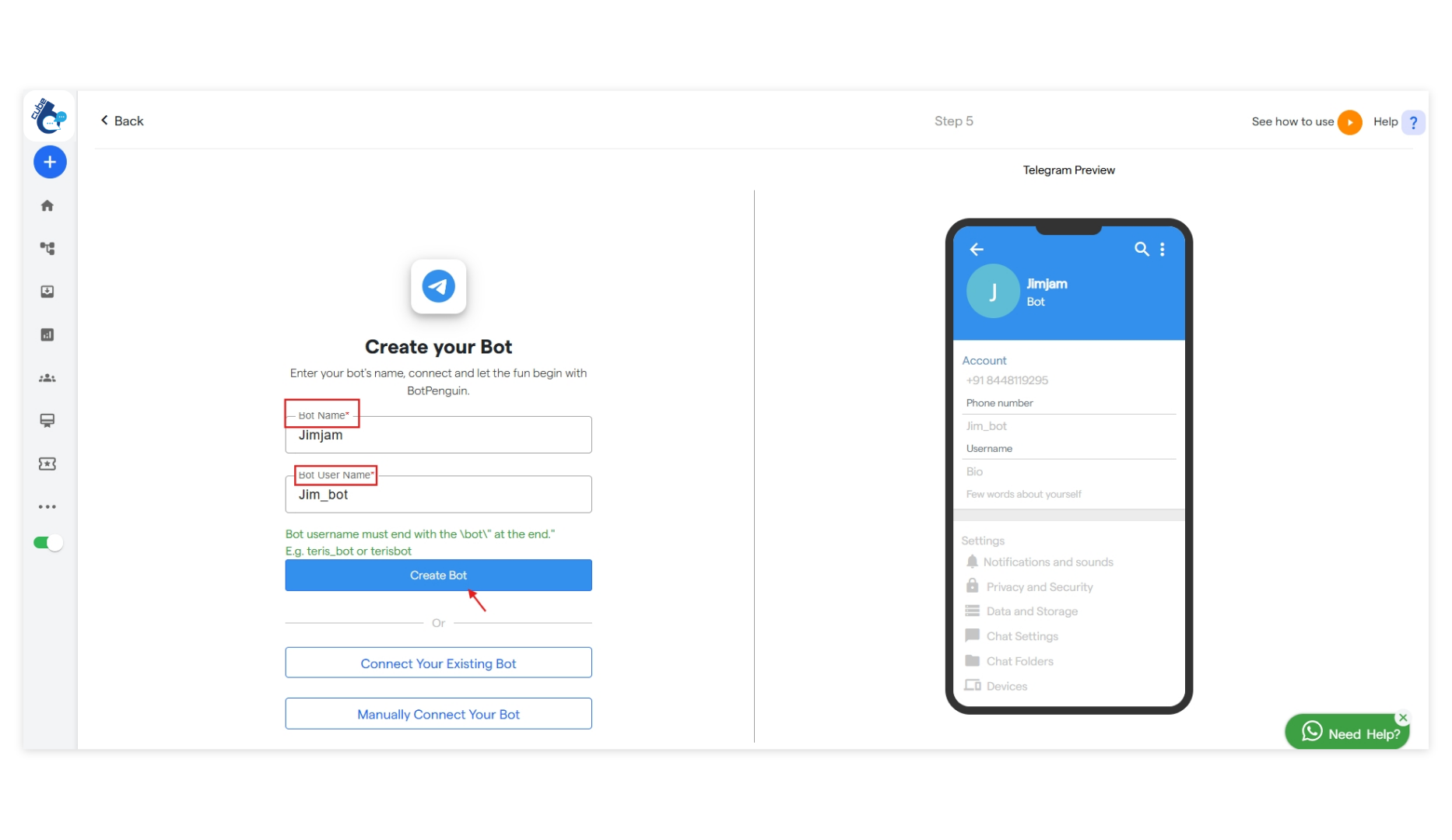
Connect and you will be directed to the dashboard section
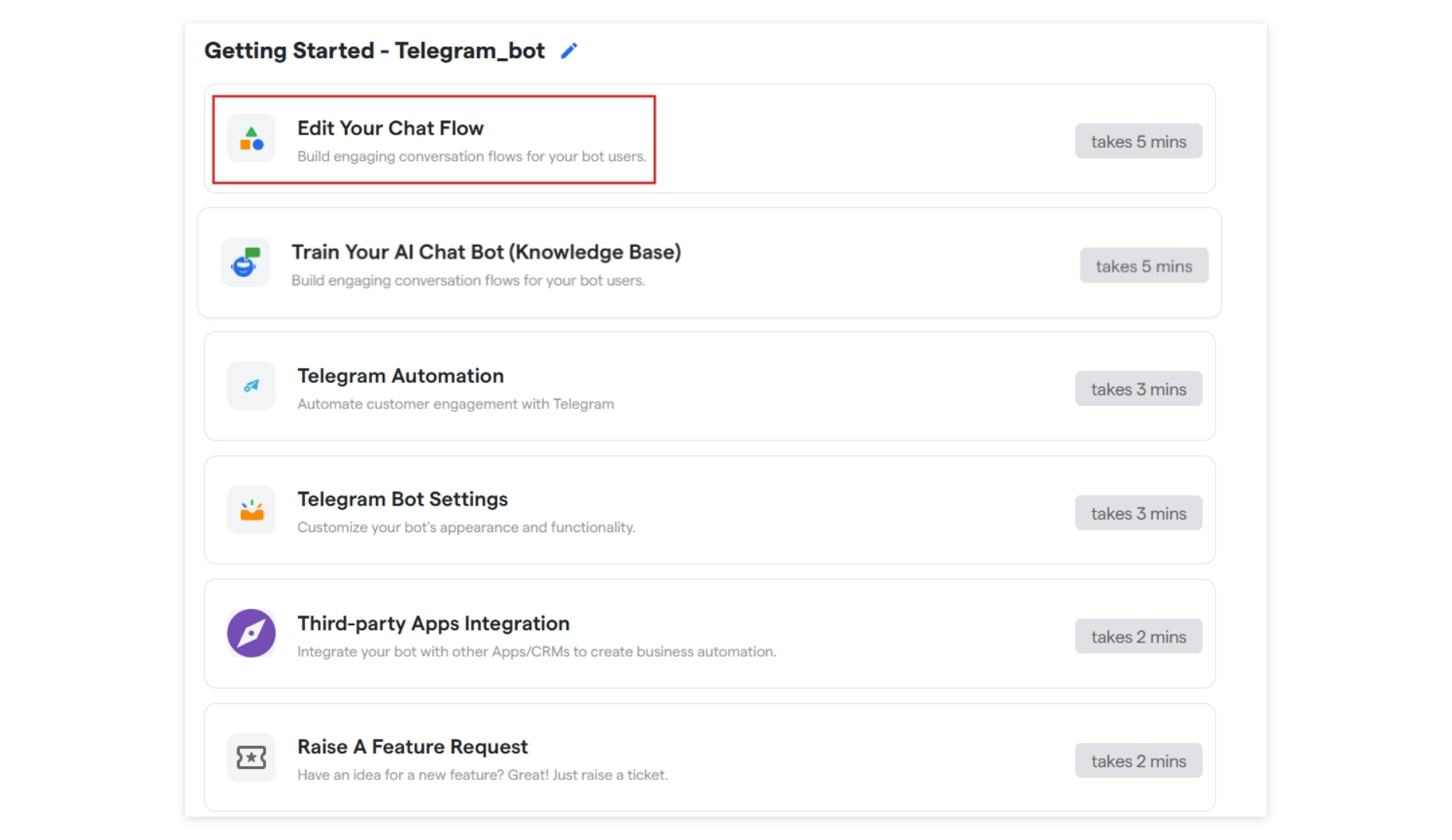
where you can Edit your chat flow and Telegram Bot Settings.
Edit Your Chat Flow
a. A chat flow is a structure of messages that determines how a conversation will take place between your chatbot and the user. Click on theEdit Your Chat Flow tab to
customize your chat flow.
Telegram Automation
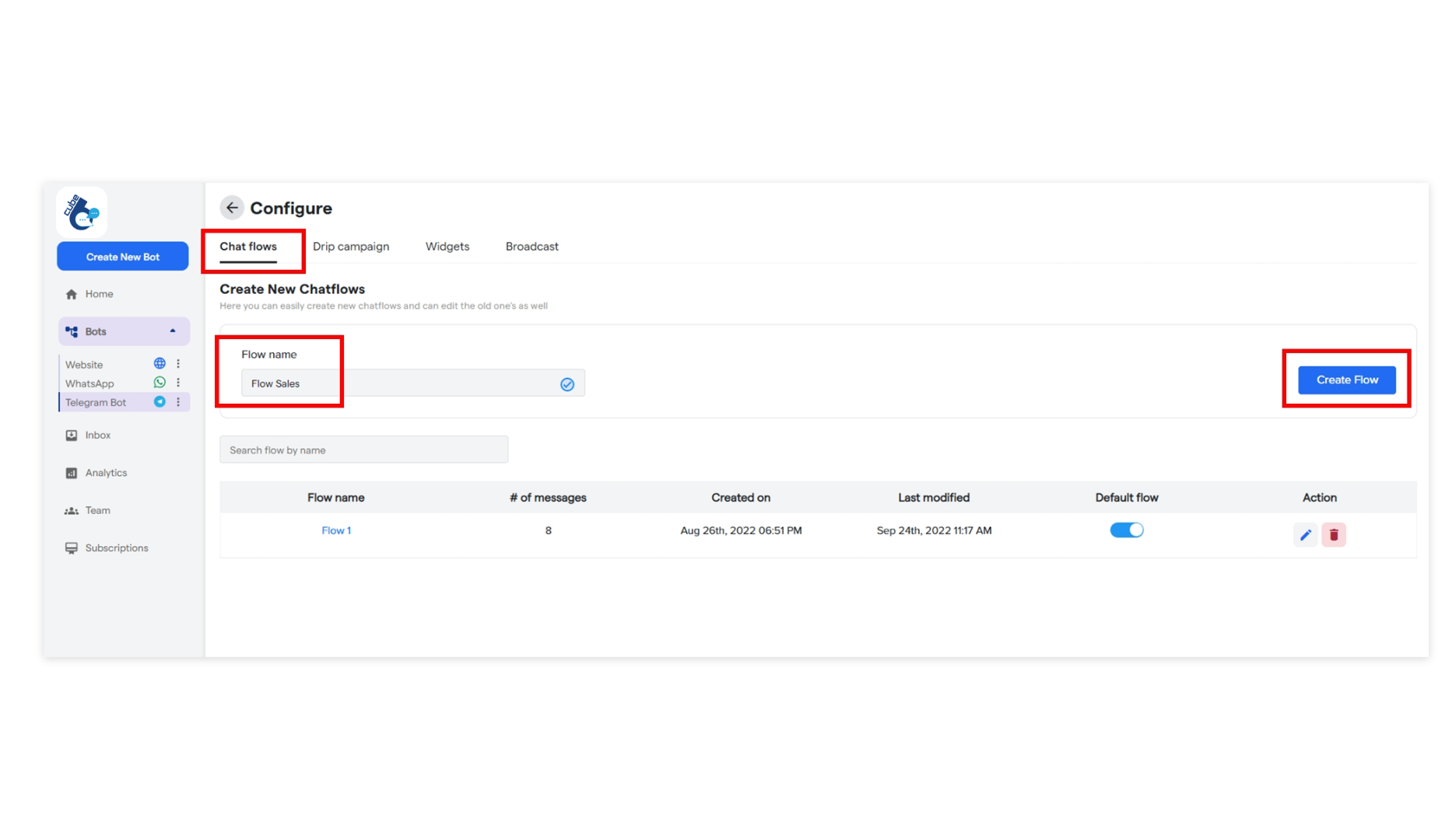
Here you can configure automation settings for your telegram botChat Flows
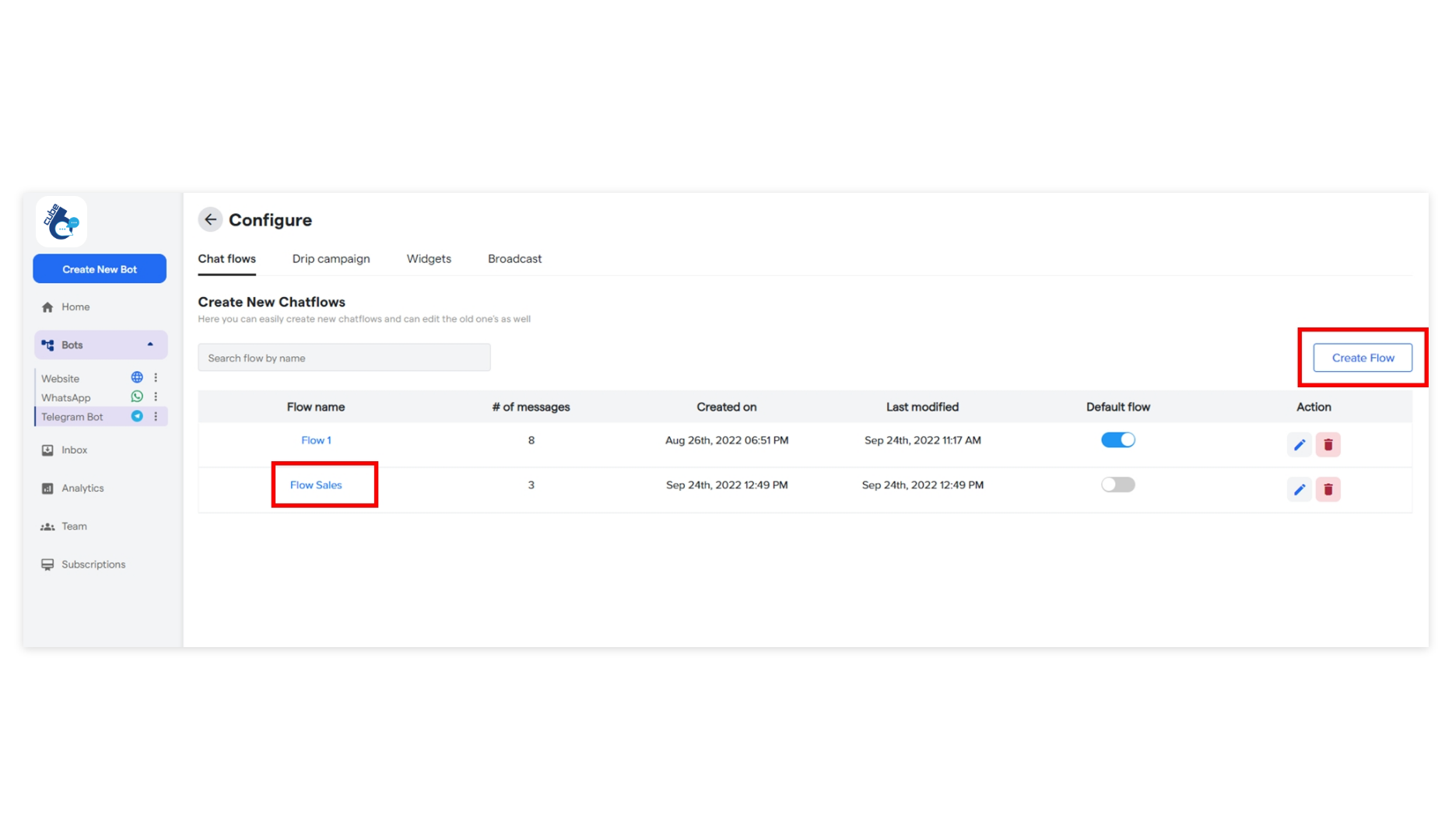
Here, you can also create multiple chat flows from theCreate flow option
by adding the name of the flow. Once a flow is added, it will be listed under Flow name.
This way you can add any number of flows.
Drip Campaigns
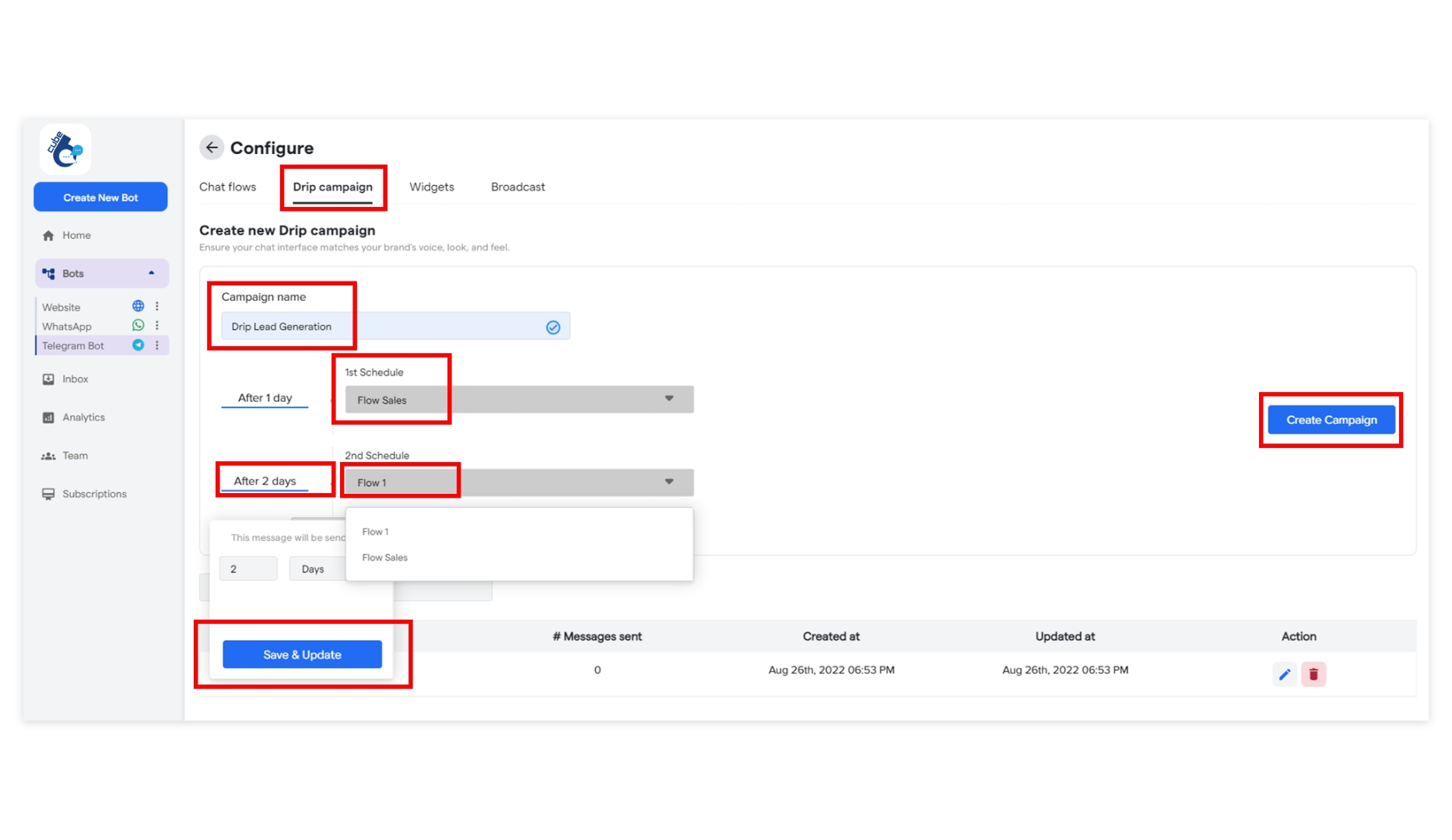
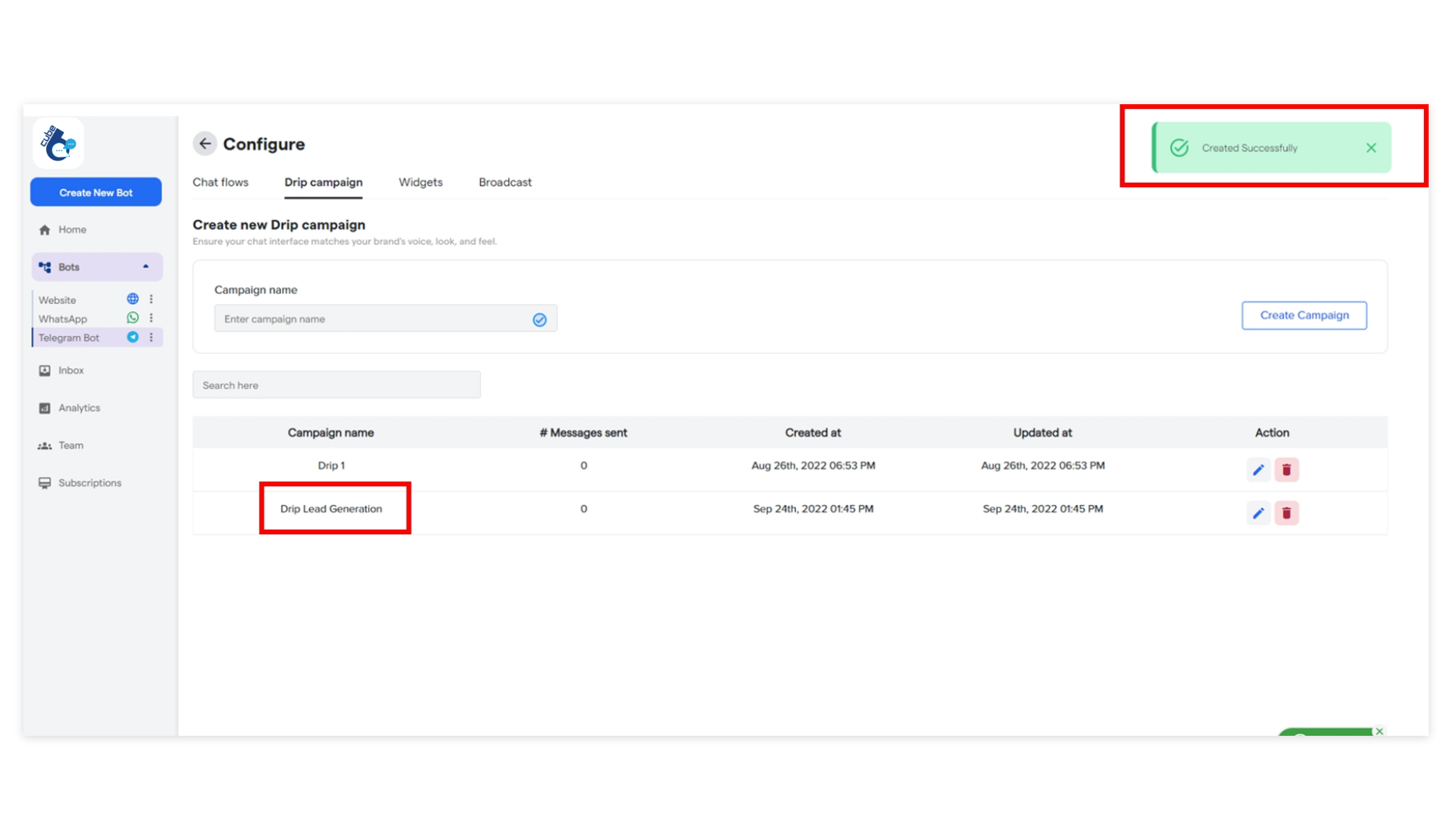
Drip Campaign is a scheduled and structured flow of messages created for customer onboarding journeys. To create one, go to theDrip Campaigns tab and click Create Campaign. Here is the [Quick Guide on How to Create Drip](https://help. Cube6.com/ Cube6-resource-center/how-botpenguin-works/bot-settings/drip-campaigns) [Campaigns](https://help. Cube6.com/ Cube6-resource-center/how-botpenguin-works/bot-settings/drip-campaigns).
Widgets
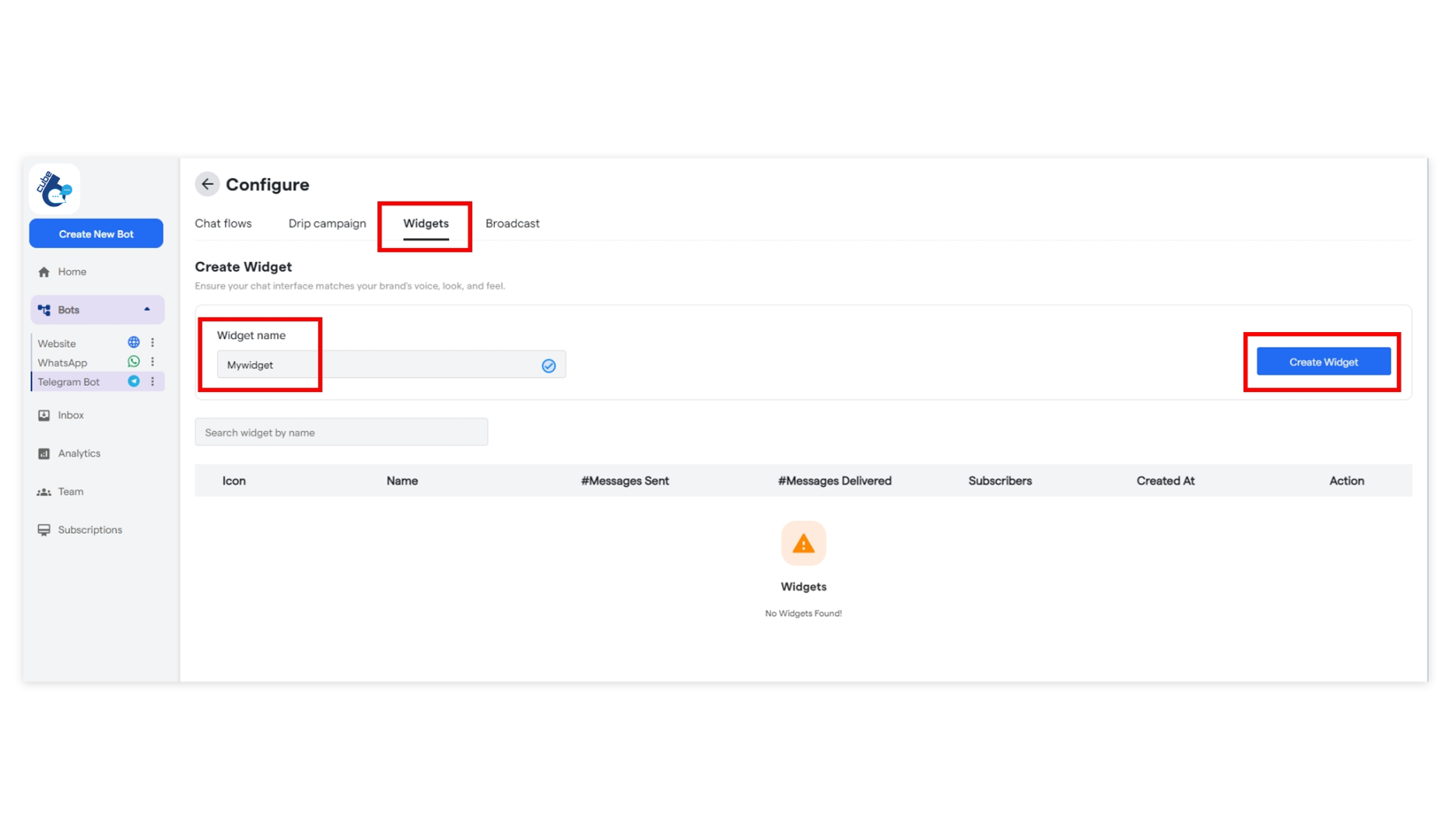
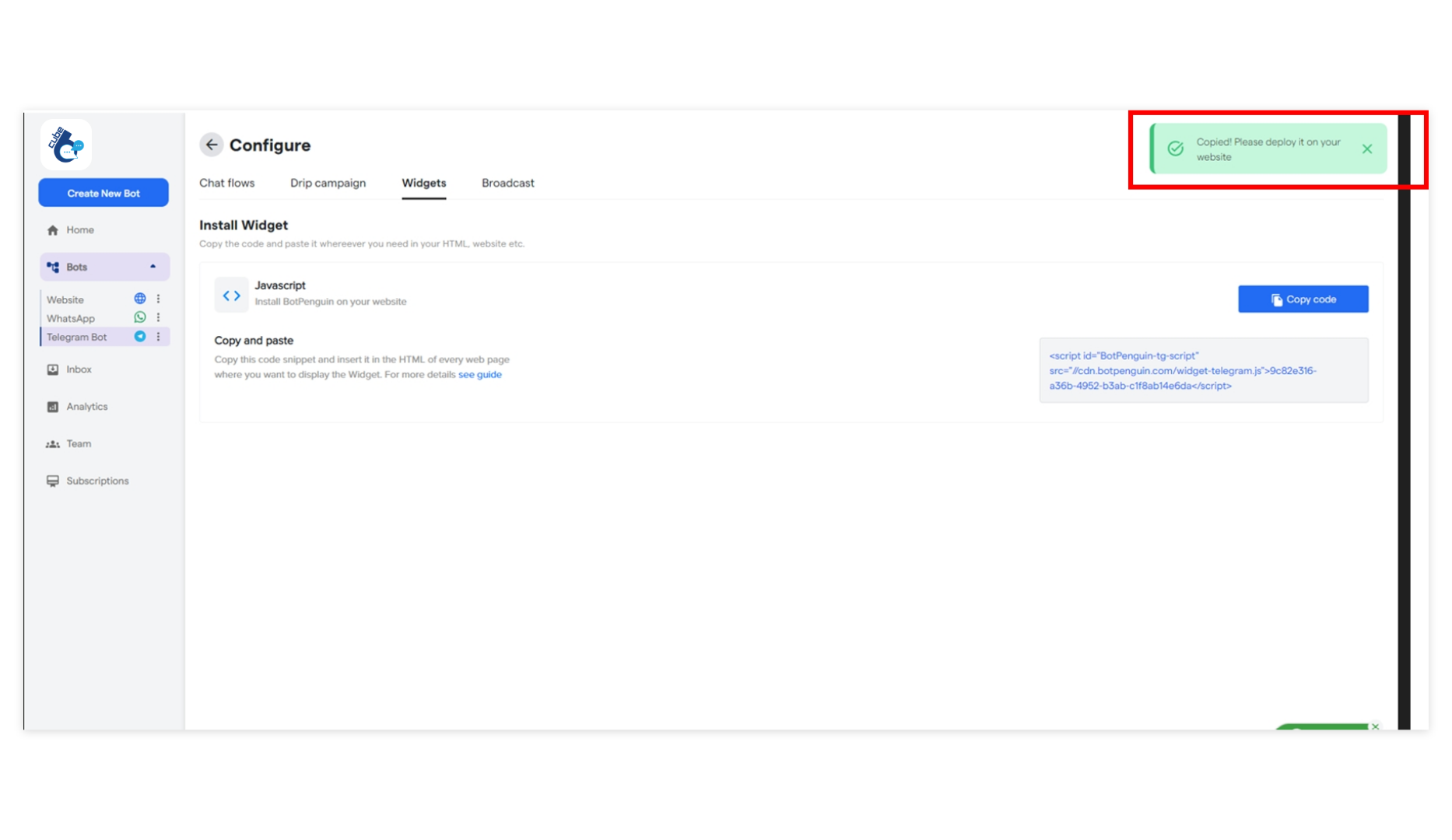
A Widget is a chat interface that can be installed in your website, ads, blogs or any promotional content to route subscribers to your Chatbot. You can create multiple widgets by following a few easy steps on the Cube6 dashboard. To create one, go to theWidgets tab in Bot Settings and click Create Widget on the extreme right. Here is the [Quick Guide on How to Create a Widget](https://help. Cube6.com/ Cube6-resource-center/how-botpenguin-works/bot-settings/widget)
Broadcast
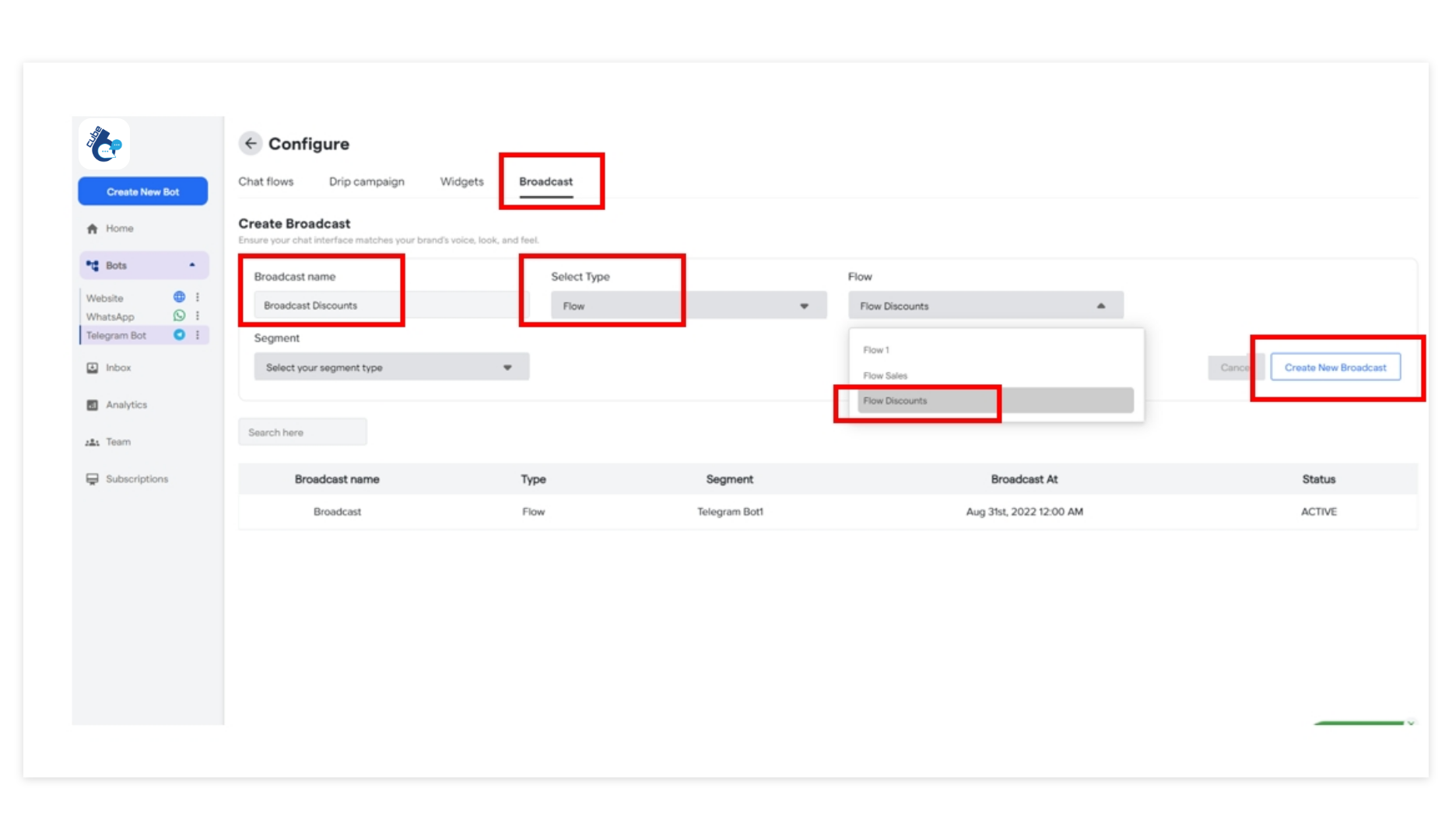
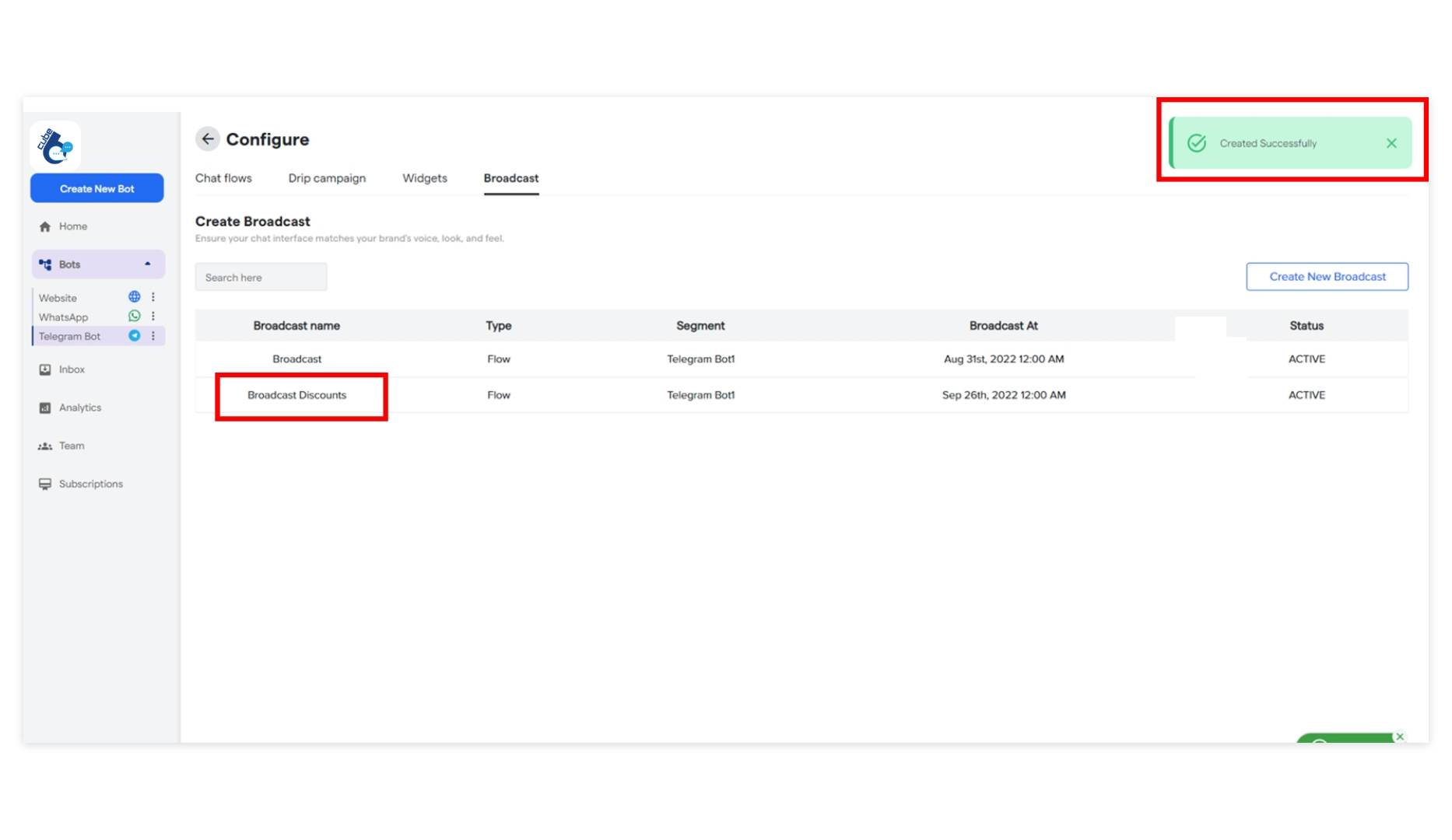
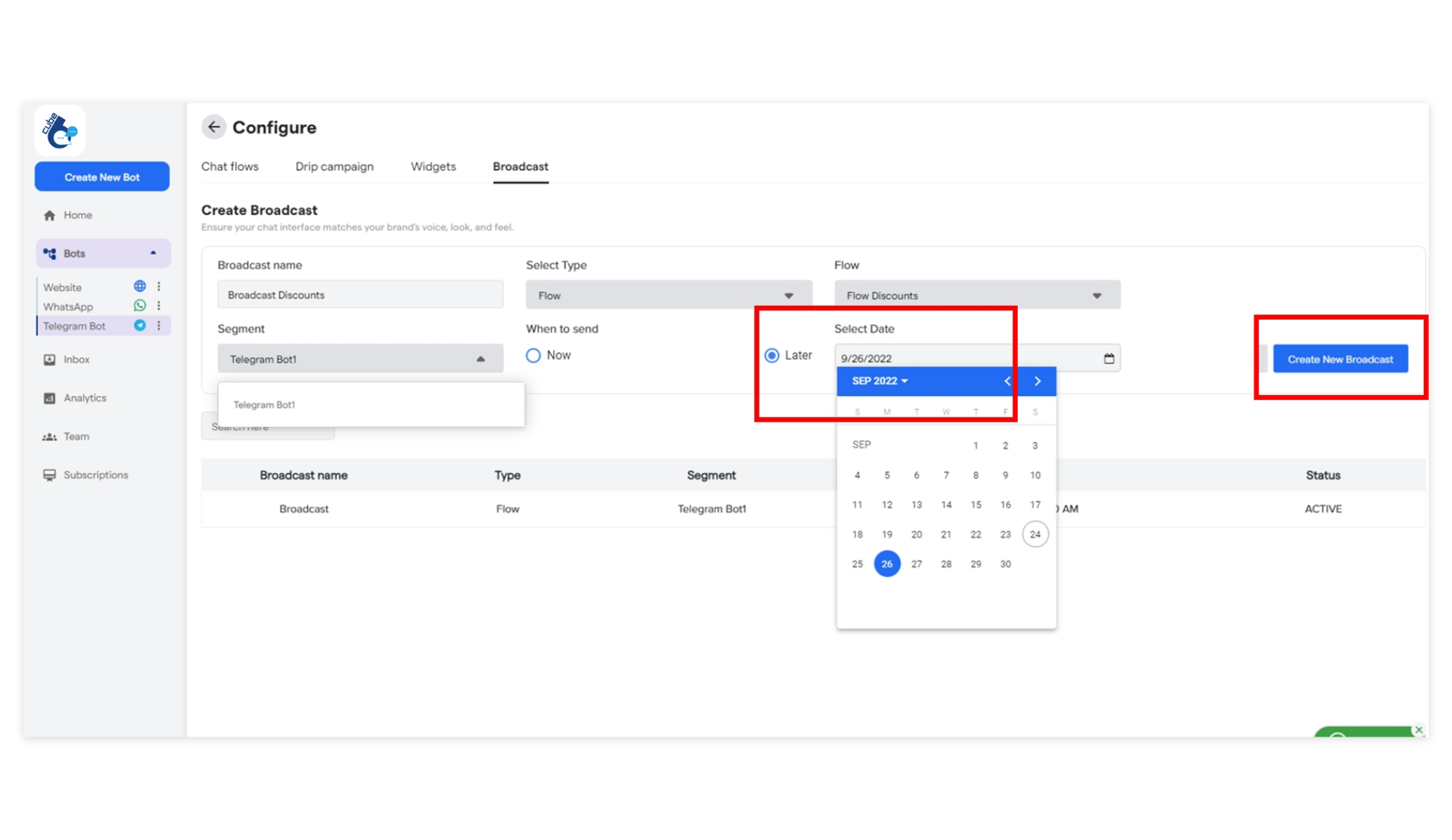
A Broadcast is a chat flow or a message that can be blasted in one click, to the targeted segment or group of contacts. To create one, go to theBroadcast tab in
the Bot Settings and click the Create New Broadcast on the extreme right.
Here is the [Tutorial for Creating a Broadcast](https://help. Cube6.com/ Cube6-resource-center/how-botpenguin-works/bot-settings/broadcast).