
What is a Broadcast?
A Broadcast is messages campaigns that can be blasted in one click, to the targeted segment or group of subscribers/contacts. You can create the one using the below guideHow to create a Broadcast?
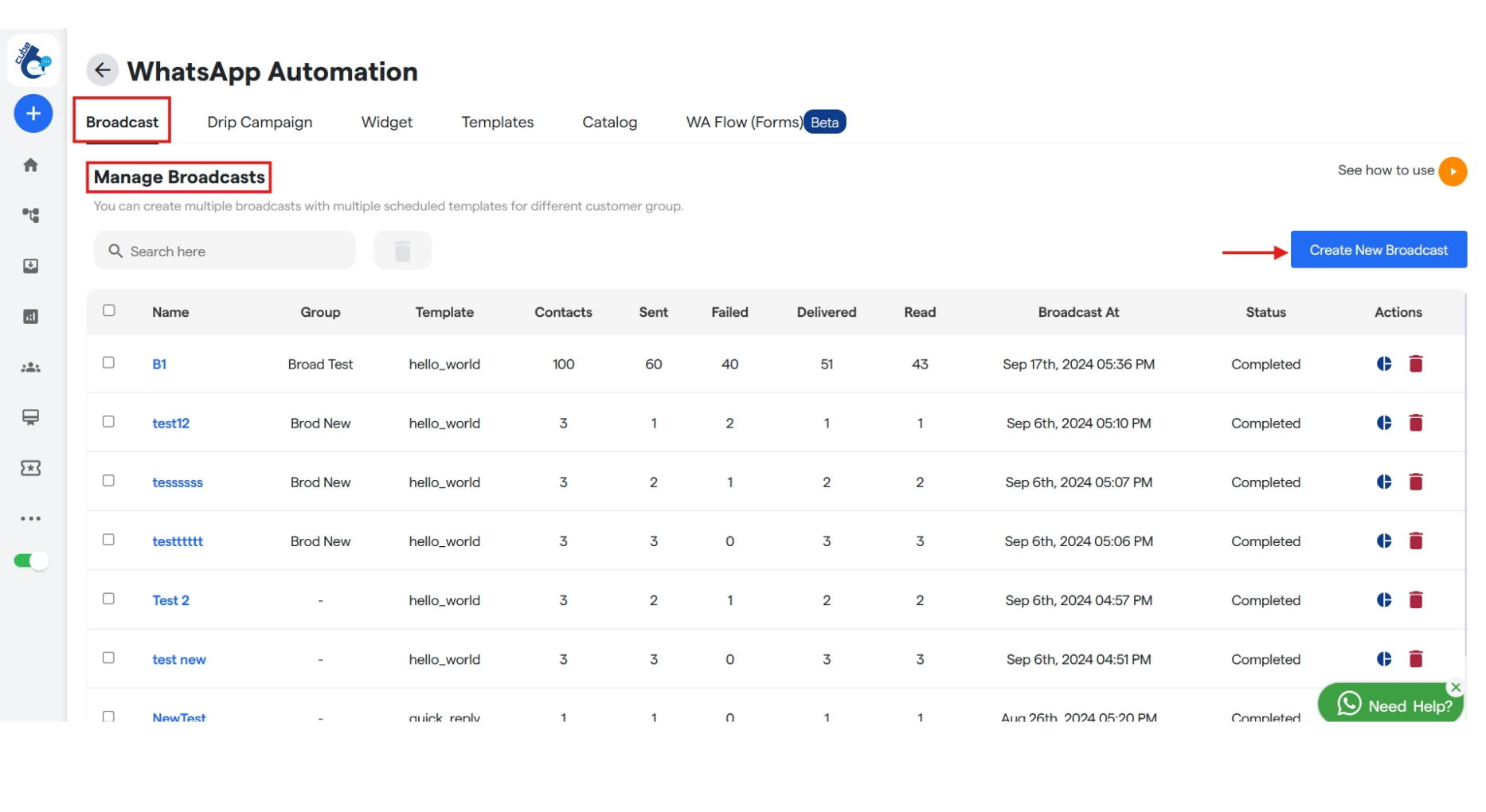
To create one, go to theBroadcast tab in the Bot Settings and click the Create New Broadcast on the extreme right.
Name your broadcast campaign
- Here, enter your Broadcast name, select template and whom to send the broadcast from drop down.
-
When you select a template you will be asked to add header media which you can import from your system.
-
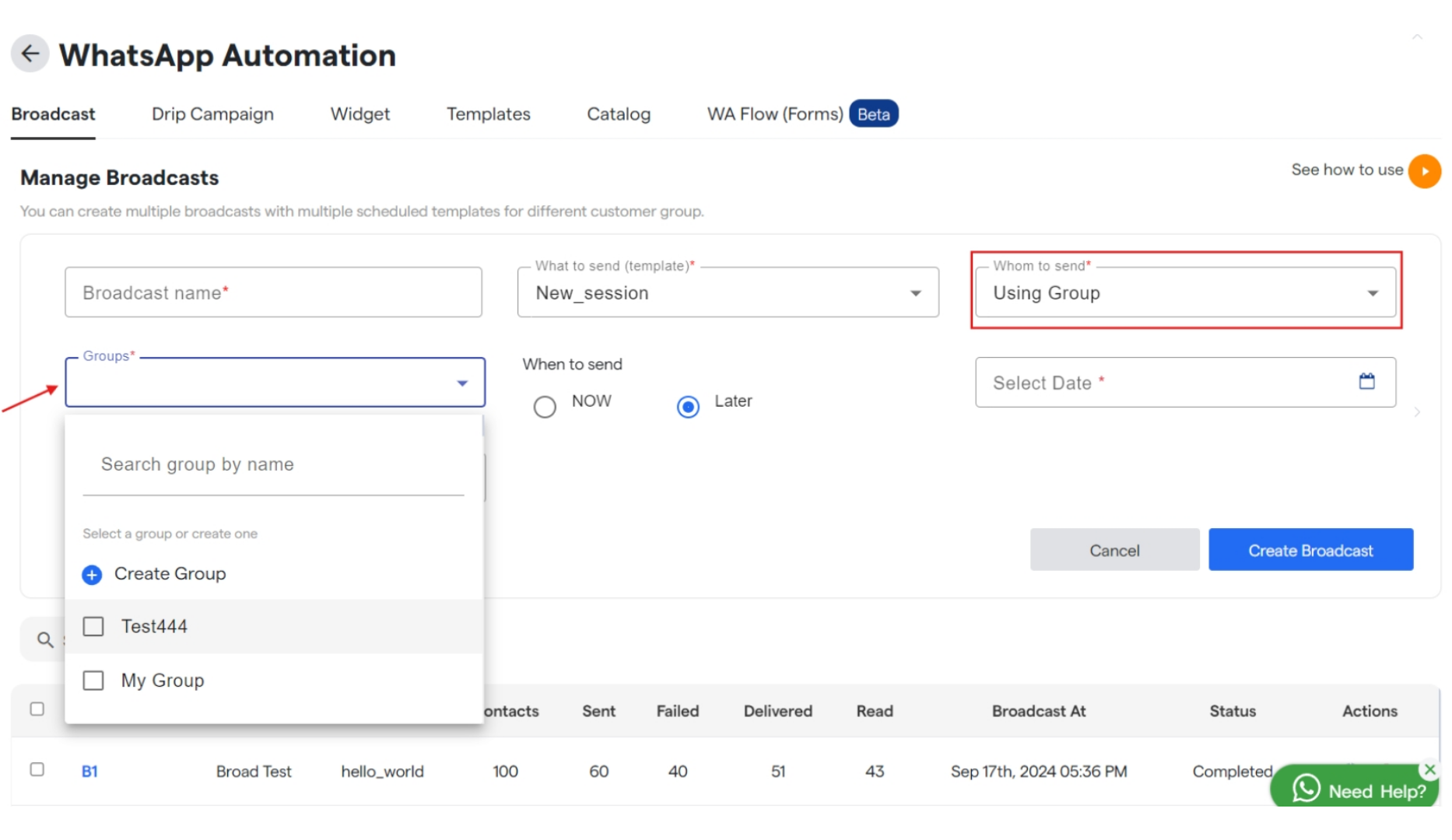
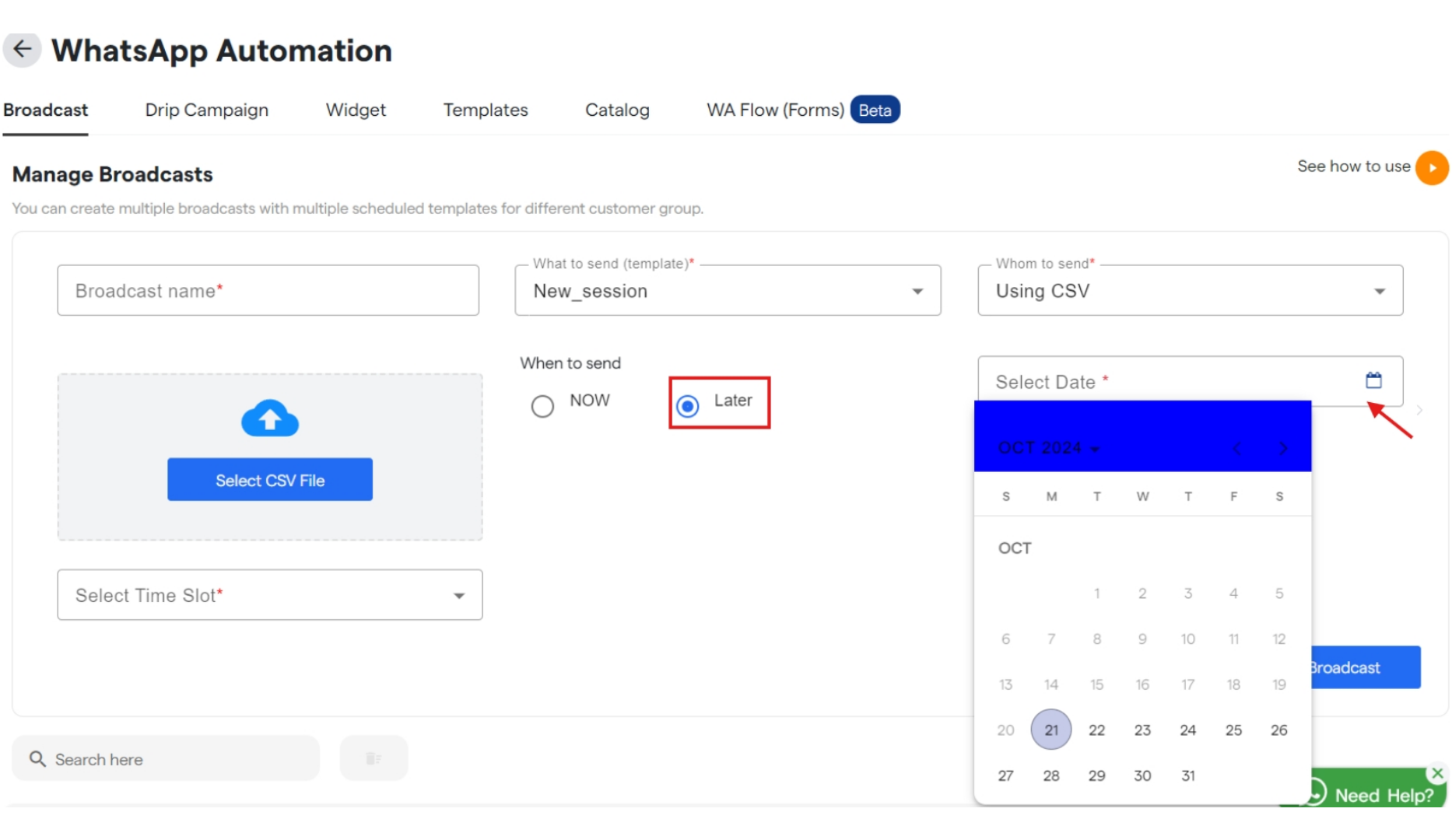
Once you select the template, when “Using Group” is selected in whom to send you will get a new drop down to select or create a group. And if you select “Using CSV” then upload a csv file for the same.
-
Also, select the scheduled date to send the Broadcast, if not to be sent immediately.
-
Click
Create Broadcastto save your broadcast and will get listed underBroadcast name. - Similarly you can edit and customize your broadcast that are available under “Manager Broadcast”.